Microsoft Fabric vs Snowflake (2026): Architecture, Pricing & Technical Limits
Fabric and Snowflake are genuinely different platforms solving different problems. This article maps the architecture, real limits, and cost models so you can make the right call — not the popular one.
Microsoft Fabric is the superior choice for organizations already invested in the Microsoft ecosystem, offering lower TCO through unified capacity and the “Direct Lake” elimination of Power BI refresh costs.
Snowflake remains the leader for multi-cloud independence, high user concurrency at enterprise scale, and scenarios involving large semi-structured data (>100MB JSON blobs) where its maturity and workload isolation are unmatched.
Storage Architecture: OneLake vs. Micro-Partitions

The foundational difference between Microsoft Fabric and Snowflake lies in their storage architecture. Per Microsoft’s official documentation, OneLake is a centralized, logical data lake built on Azure Data Lake Storage Gen2, storing all data in open Delta Parquet format. This results in the “OneCopy” principle, which fundamentally changes data access patterns:
- A Spark notebook can read the exact same table as a SQL Warehouse with zero data movement, eliminating the need for export routines.
- A Power BI report connects via Direct Lake to OneLake data, requiring no import refresh cycle and ensuring users always see live data.
- Data persists in open formats, enabling cross-platform access via Shortcuts (ADLS, S3, external lakehouses) without proprietary lock-in.
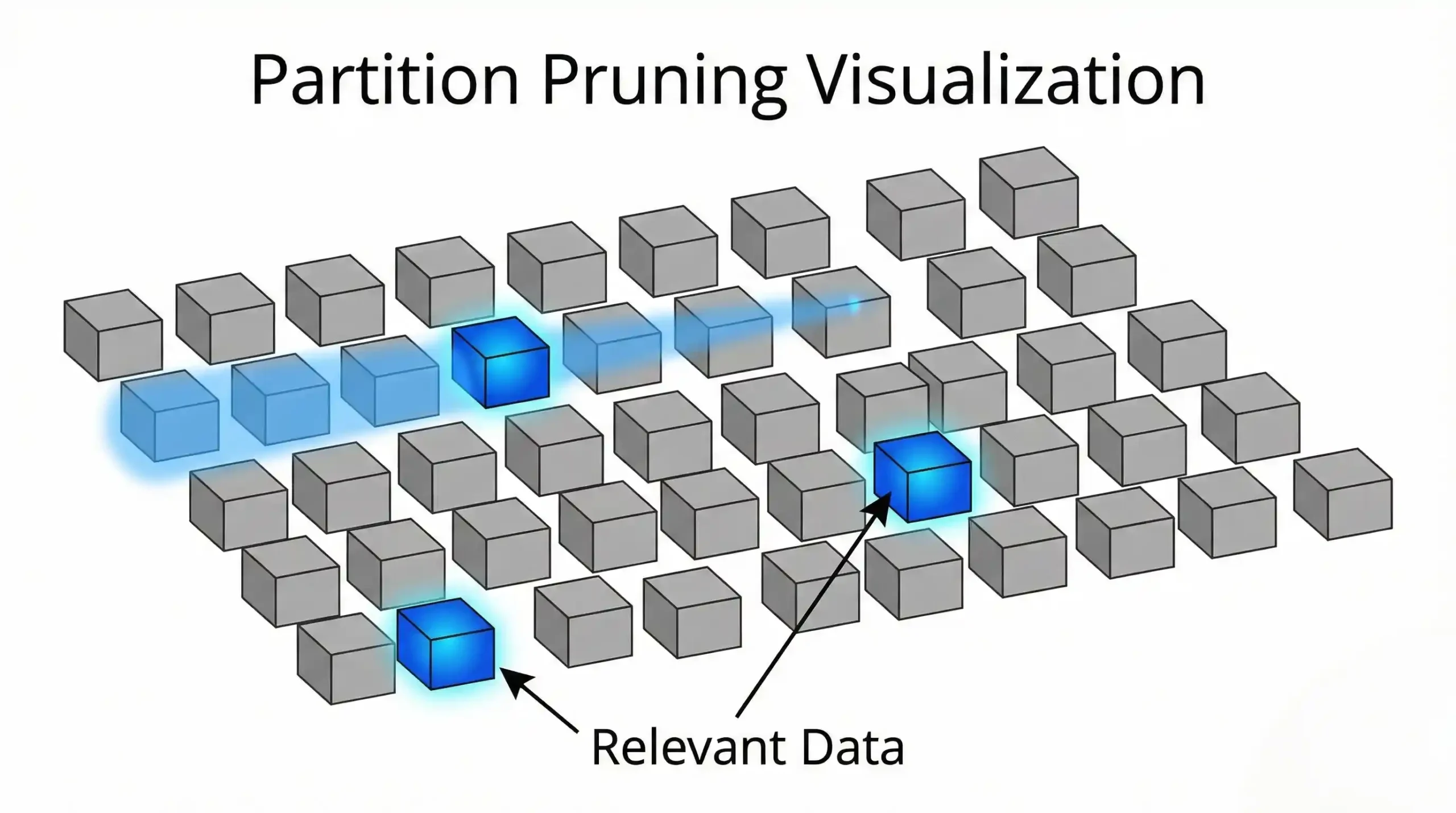
Snowflake utilizes proprietary micro-partitions—a highly optimized format that locks data into the Snowflake ecosystem. While this delivers exceptional SQL performance, it requires data ingestion and copying to achieve peak efficiency. For organizations utilizing multiple analytics tools, this creates a significant “data gravity” problem where every platform demands its own copy of the truth.
As of June 2026, Snowflake supports Apache Iceberg for external tables, which reduces lock-in compared to previous years. However, this is often a “bolt-on” feature, whereas Fabric uses open formats as its native, default storage layer. For a deeper dive into Lakehouse architecture, review our Fabric Lakehouse vs Data Warehouse Guide.
We worked with a financial services team who spent six months optimizing Snowflake ingestion pipelines for 500GB of raw data. They later discovered Fabric’s Mirroring could have replicated the entire database in real-time with significantly less engineering overhead.
Compute Models & Pricing Comparison
Microsoft Fabric: Unified Capacity Units (CUs)
Fabric operates on a unique capacity-based pricing model. An organization purchases an F-SKU (ranging from F2 to F2048), which represents a fixed pool of Capacity Units. All workloads—Data Engineering, Analytics, Power BI, and Real-Time Intelligence—share this single compute pool.
- Pricing Mechanics: Costs range approximately ~$0.15–$0.20 per CU/hour depending on region and commitment. (Verify current exact pricing at the Azure Pricing Calculator).
- Burst Capability: The platform supports automatic scaling to handle spikes, though this is charged at overage rates.
- Throttling Risk: If multiple heavy workloads exceed the CU limits simultaneously, Fabric throttles performance—creating a potential “noisy neighbor” risk. Read our Fabric Capacity Optimization Deep Dive for mitigation strategies.
Snowflake: Virtual Warehouses + Credit Model
Snowflake provisions isolated compute clusters known as virtual warehouses, available in T-shirt sizes (XS, S, M, L, XL…6XL). Each warehouse operates independently, effectively preventing noisy neighbors but requiring manual orchestration to manage costs.
- Credit Costs: Compute credits are approximately ~$2 to $4 per credit depending on region, cloud provider, and contract tier. (See Snowflake official pricing). Storage and cloud services are billed separately.
- Concurrency Scaling: Supports unlimited parallel warehouses to handle high user loads, but each additional warehouse costs extra.
- Auto-suspend: Warehouses automatically pause when idle—providing true “zero cost” during periods of inactivity.
Real Monthly Pricing Estimate (100 Users, Mid-Market)
| Platform | Configuration | Estimated Monthly Cost |
|---|---|---|
| Microsoft Fabric | F64 Capacity (Pay-As-You-Go, reserved nights/weekends) | ~$5,300/mo |
| Snowflake | Large Warehouse (running 12 hrs/day) + ~1,300 credits | ~$5,200/mo (Compute only) + Power BI Pro licensing costs |
Real-World Performance Scenarios & Concurrency
Here are the scenarios where each platform shows its real character: (Note: Microsoft has not published independent TPC-DS benchmarks for Fabric Warehouse as of June 2026).
- Dashboard-Heavy BI: Fabric wins decisively due to Direct Lake eliminating refresh cycle drag on the data warehouse.
- Ad-Hoc Data Science: Snowflake often wins due to its instant elasticity. Data scientists can spin up a massive 4XL warehouse for 20 minutes and shut it down, without impacting the reporting capacity.
- Enterprise Reporting: Fabric offers better cost predictability via its shared capacity model, whereas Snowflake’s bill can fluctuate wildly with query volume.
Concurrency Limits Comparison
| Platform | Concurrency Handling | Max Queries |
|---|---|---|
| Microsoft Fabric (F64) | Fixed query concurrency limits tied to the specific F-SKU capacity size. | Limits apply globally to the capacity (e.g., F64 limits vs F2048 limits). |
| Snowflake | Virtual warehouses queue if max concurrency is reached unless multi-cluster is enabled. | Virtually infinite scaling with multi-cluster warehouses (costs additional credits per active cluster). |
The Game-Changer: Direct Lake (Fabric Only)
This is where Fabric fundamentally reshapes the TCO equation for Power BI-centric organizations. Direct Lake mode allows Power BI to query OneLake Delta tables without importing or copying data.
Snowflake does not offer an equivalent native Direct Lake execution mode due to its decoupled compute-storage architecture. Data resides in cloud storage (S3/Azure Blob), but Snowflake compute is ephemeral. To connect Power BI, you either pay for persistent compute (DirectQuery = per-click charges) or copy data (Import = refresh cycle). This is not a feature gap—it’s a fundamental architectural limit. Learn how to fix common issues in our Direct Lake Fallback Guide.
While Direct Lake is powerful, it is not a “magic bullet.” It operates within strict guardrails to maintain performance. Direct Lake automatically falls back to DirectQuery using the SQL analytics endpoint when Direct Lake exceeds limits for the SKU, or uses features not supported.
- Parquet Limits: Excessive file counts or unoptimized Delta logs can degrade performance.
- Memory Pressure: Large semantic models can exhaust the SKU’s available memory, causing column eviction.
Data Types & The Hidden String Limitation
While Fabric excels in integration, technical constraints exist that often surprise migration teams. This is a critical area where Snowflake holds a distinct advantage.
Fabric Warehouse: The current limit for storage in varchar(max) is 16MB in SQL analytics endpoint and Fabric Data Warehouse (Microsoft Learn, June 2026). For Parquet files specifically, the maximum size for large string or binary columns in Parquet format is up to 16MB per cell, 1GB total row size.
Snowflake: String columns natively support up to 128MB of data (a maximum of 134,217,728 bytes which is 128MB). However, the default length for VARCHAR remains 16MB — you must explicitly specify the larger size when creating or altering a column. In enterprise migrations involving complex JSON logs, this single limitation often dictates the platform choice.
| Capability | Microsoft Fabric | Snowflake |
|---|---|---|
| Native Format | Open Delta Parquet (cross-platform access) | Proprietary Micro-Partitions (Snowflake-only optimized) |
| Semi-Structured (JSON, XML) | Native support via Parquet; VARIANT on SQL side | Native VARIANT type with SQL functions |
| Vectors / Embeddings | VECTOR type, Copilot integration | VECTOR type (GA) |
| String Max Size | 16MB varchar(max) | 128MB VARCHAR (requires explicit declaration) |
| Graph / Hierarchical | Not native (use Lakehouse + custom logic) | Not native (use third-party) |
Migration Considerations & Interoperability
Moving from Snowflake to Fabric (or vice versa) is not a simple “lift and shift.” Migration involves translating proprietary SQL syntax, redirecting ingestion pipelines from Snowflake Snowpipe to Fabric Data Pipelines or Mirroring, and thoroughly testing performance variations. Teams must map Snowflake’s specific RBAC security models into Fabric’s emerging OneLake security architecture.
Can You Run Both? The Hybrid Architecture
Many enterprises adopt a hybrid approach: Snowflake for multi-cloud analytics and data sharing, Fabric for team-centric analytics inside Azure with Power BI as the front-end. Microsoft and Snowflake have been working together on cross-platform integration, including new OneLake table APIs that work with Snowflake’s catalog-linked database feature. This makes a hybrid approach increasingly practical without forcing massive data duplication.
Decision Tree & Recommendations
Avoid Fabric If:
- You do not use Power BI (e.g., you are a Tableau/Looker shop).
- You require strict multi-cloud portability today (AWS/GCP data residency).
- Your workload is 100% legacy SQL with massive (>16MB) text fields.
- You need to share live data externally via a marketplace or data clean rooms — Snowflake’s Data Marketplace (2,000+ datasets per Snowflake Data Marketplace, zero-copy sharing, secure clean rooms, cross-cloud) has no Fabric equivalent.
Avoid Snowflake If:
- You need predictable, fixed monthly billing (Snowflake credit burn can be volatile).
- You are building a “Mesh” architecture with decentralized domain teams.
- You rely heavily on Power BI DirectQuery over large datasets.
- You need native real-time streaming analytics — Fabric’s Real-Time Intelligence workload using KQL has no Snowflake equivalent.
The Decision Framework
- If your BI stack is Power BI-first → Microsoft Fabric
- If your data must live across AWS, Azure, and GCP → Snowflake
- If cost predictability matters more than elasticity → Fabric
- If you need extreme concurrency isolation → Snowflake
Microsoft Fabric is no longer a “Power BI appendage”—it’s a highly credible alternative to Snowflake for enterprise analytics. Its unified capacity model and Direct Lake advantage are compelling for Microsoft-centric organizations. However, Snowflake’s maturity, multi-cloud flexibility, and proven isolation model remain unmatched for enterprises with mission-critical, high-concurrency workloads. Ultimately, many enterprises will run both: Fabric for Power BI and real-time dashboards, and Snowflake for data product teams and flexible ELT pipelines. For migration strategies, read our Power BI to Fabric Migration Guide.
Frequently Asked Questions
Official References & Documentation (June 2026 Verified)
All architectural claims in this analysis are grounded in official documentation:
Disclaimer: This comparison is based on official technical specifications and documentation available as of June 2026. Both Microsoft Fabric and Snowflake release updates which may alter feature parity or performance characteristics. Ultimate Info Guide is an independent educational resource and is not affiliated with Microsoft, Snowflake, or any third party.