Dataflow Gen2 in Fabric: Production Guide
Dataflow Gen2 is the primary low-code data integration engine in Fabric. This guide covers Fast Copy optimizations, VNet Gateway integration, multi-destination support, and exact capacity cost mapping for 2026.
Dataflow Gen2 in Microsoft Fabric is a low-code data integration engine combining the visual Power Query interface with a scalable compute backend. It supports direct writing to Lakehouse, Warehouse, and Snowflake destinations. With the latest 2026 updates, it includes Fast Copy for high-speed data ingestion, Partitioned Compute for parallel processing, and native VNet Data Gateway support for secure on-premises connectivity.
This guide reflects the General Availability (GA) of Fast Copy and the full integration of VNet Data Gateways. Cost estimates are based on current F-SKU pricing mechanics utilizing Capacity Units (CUs) per second.
Executive Summary: Production Overview
Dataflow Gen2 bridges the gap between business analysts comfortable with Power Query and data engineers managing enterprise pipelines. It executes M queries on a backend powered by Apache Spark, allowing it to scale far beyond the memory limits of Dataflow Gen1.
Visual Low-Code Interface
Utilizes the familiar Power Query Online interface, enabling complex data shaping without requiring Python or SQL expertise.
High-Performance Ingestion
Fast Copy bypasses the standard evaluation engine, moving raw data up to 8x faster than traditional Gen1 dataflows.
Cost Efficiency
Properly optimized flows using staging bypass and partitioned compute can reduce Capacity Unit (CU) consumption by up to 90%.
Multi-Destination Flexibility
Write directly to Fabric Lakehouses, SQL Warehouses, ADLS Gen2, Snowflake, Azure SQL, and KQL databases.
Performance Optimization & Fast Copy
In Dataflow Gen2, compute efficiency directly dictates your monthly Fabric bill. The most critical optimization lever is Fast Copy.
Fast Copy uses native Azure Data Factory Copy Activity mechanics under the hood. It bypasses the Power Query transformation engine entirely. Use Fast Copy strictly for raw data ingestion (moving a CSV from ADLS to a Lakehouse table) and build a subsequent Dataflow to handle the transformation logic.
Fast Copy uses Azure Data Factory Copy Activity under the hood but does not yet support Virtual Network (VNet) Data Gateways or On-premises Data Gateways. Use it strictly for cloud-native ingestion.
Supported Fast Copy Connectors
| Connector | Format Support |
|---|---|
| Azure Blob Storage | Parquet, CSV |
| Azure Data Lake Storage Gen2 | Parquet, CSV |
| Azure SQL Database | N/A (Native SQL protocols) |
| Snowflake | N/A (Native Snowflake protocols) |
CU Consumption Analysis: 6GB File Ingestion
Fabric bills by CU-seconds. Here is the cost impact of applying sequential optimizations to a daily 6GB data load on an F64 capacity.
| Configuration Profile | Execution Time | Estimated Cost/Run |
|---|---|---|
| Baseline (No optimizations) | ~30 minutes | $1.44 |
| Fast Copy Enabled | ~3.8 minutes | $0.46 |
| + Modern Evaluator Enabled | ~3.2 minutes | $0.36 |
| + Partitioned Compute | ~2.5 minutes | $0.24 |
| Fully Optimized | ~1.5 minutes | $0.10 |
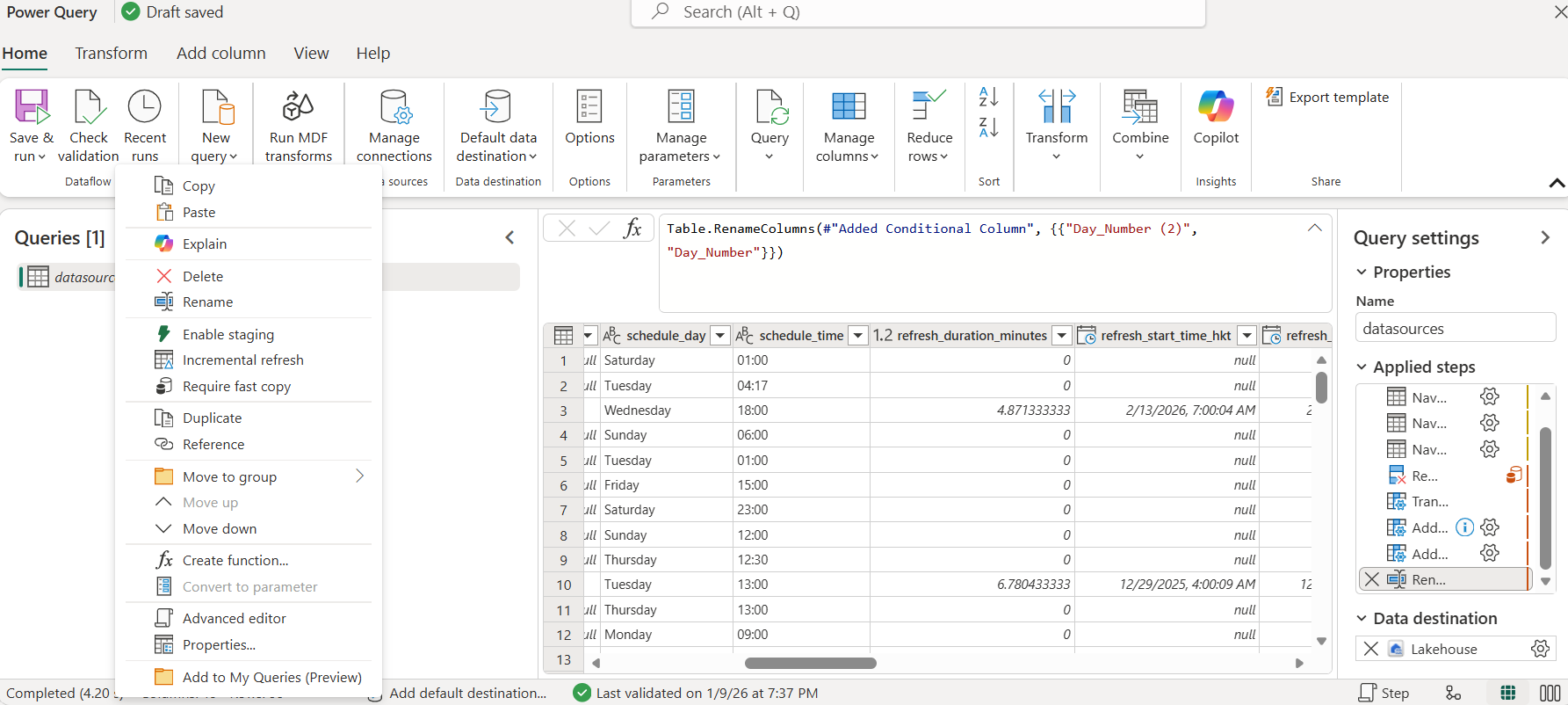
To further reduce overhead, disable the intermediate staging layer (“Enable staging” toggle) if your data source is already highly structured and located in the same Azure region as your Fabric tenant.
Teams new to Dataflow Gen2 often leave staging enabled everywhere by default because that was the safe assumption under Gen1. In Gen2, staging is a genuine cost lever, not just a reliability setting — it writes an intermediate copy of the data before the final transform runs, which is worth it when your source is unreliable or far from your Fabric region, but pure overhead when it isn’t. Before disabling staging on a production flow, confirm the source and destination sit in the same Azure region — that’s the condition under which the toggle is actually safe to turn off.
Advanced Capabilities & New Features
Partitioned Compute
Dataflow Gen2 automatically detects hierarchical data partitioning (e.g., year=2026/month=06/) in ADLS Gen2 or Fabric Lakehouses. Instead of processing files sequentially, the engine spins up parallel worker threads to process each partition concurrently. This requires no manual M coding—the engine handles the parallelization automatically if the source is partitioned.
Copilot for Data Factory
The 2026 integration of Copilot allows developers to generate complex M queries using natural language. This is particularly useful for generating custom error-handling routines, nested JSON flattening logic, and dynamic API pagination scripts that typically required advanced Power Query expertise.
Execute Query API (Preview)
The Execute Query API enables on-demand execution of Power Query logic in Dataflow Gen2 scenarios without requiring a full scheduled refresh cycle. It is designed for cases where you need to trigger transformations programmatically or in response to events.
Destination Validation
Publishing a dataflow now includes data destination validations, helping you catch common issues earlier—such as missing permissions, invalid destination settings, or naming conflicts—before the first scheduled refresh runs.
A massive update for enterprise compliance: Dataflow Gen2 (excluding Fast Copy) now fully supports Virtual Network (VNet) Data Gateways. This enables secure, private connectivity to Azure SQL Managed Instances, on-premises Oracle databases, and Snowflake instances secured behind private links, entirely avoiding the public internet.
CI/CD & Environment Management
A major criticism of Gen1 was the inability to properly parameterize connections across Development, Test, and Production environments. Dataflow Gen2 solves this using the Fabric Variable Library.
let
    // Pull server and database context dynamically from the Variable Library
    SourceServer = "@{variables('SQL_SOURCE_SERVER')}",
    SourceDatabase = "@{variables('SQL_SOURCE_DB')}",

    // Connect using the dynamic variables
    Source = Sql.Database(SourceServer, SourceDatabase),
    FilteredRows = Table.SelectRows(Source, each [IsActive] = true)
in
    FilteredRows
The Deployment Pipeline
- Define VariablesCreate a Variable Library in your Dev workspace specifying the Dev database URL.
- Build DataflowAuthor the Dataflow Gen2 using
@{variables('...')}placeholders instead of hardcoded strings. - Commit to GitSync the workspace to Azure DevOps or GitHub. The
.pqfiles are stored as plain text. - Deploy via PipelineUse Fabric Deployment Pipelines to promote the Dataflow to Prod. The pipeline rules automatically inject the Production Variable Library value set, redirecting the flow to the Prod database without touching the code.
Dataflow Gen2 does not support fully dynamic reconfiguration of data source connections at runtime — connections to sources like SQL databases are statically bound once authored and cannot be altered purely through Variable Library values without republishing. Plan Variable Library scope around this: it parameterizes what the connection points to across environments via deployment pipeline promotion, not a live runtime switch inside a single environment.
Incremental Refresh & Delta Merges
Unlike Dataflow Gen1 which effectively forced full-table reloads or complex custom logic, Dataflow Gen2 natively understands Delta Lake semantics. When configured for incremental refresh, Gen2 automatically constructs an upsert (MERGE) operation. It evaluates incoming data against the existing Delta table and only inserts new records or updates modified records based on your defined business keys. This drastically reduces processing time and CU consumption for large, slowly changing dimension tables or massive fact tables.
Dataflow Gen2 in Fabric – FAQ
Official References & Internal Guides
For deep technical specifications and further architectural planning, consult the following resources:
This guide is verified against Microsoft Learn documentation as of July 2026. Features such as Fast Copy and VNet Gateways undergo frequent minor updates. Always check the official documentation before deployment. UIG Data Lab is an independent publication, not affiliated with or endorsed by Microsoft Corporation.




