Data Warehousing in Fabric — Complete 2026 Guide
Everything you need to design, implement, optimize, and operate a production data warehouse on Microsoft Fabric — from medallion architecture and T-SQL patterns to GPU-accelerated performance, AI Functions, and Synapse migration. Verified against official Microsoft documentation through July 2026.
The Fabric Data Warehouse is an enterprise-grade, SaaS-delivered relational warehouse built on open Delta Parquet tables in OneLake. It provides full T-SQL — DDL/DML, stored procedures, materialized views, and multi-table ACID transactions — while sharing storage with Lakehouse and Power BI Direct Lake with no data movement. As of July 2026, a GPU-accelerated version is entering early access preview, targeting up to 7× faster performance at 64-user concurrency in Microsoft’s internal benchmarks. AI Functions now default to gpt-5-mini. Choose it over Lakehouse when your team works primarily in T-SQL and needs governed, curated star or snowflake schemas for BI.
Why Data Warehousing in Fabric?
The Fabric Data Warehouse is not another cloud SQL service layered on top of object storage. It is built lake-native from the ground up — data lives as open Delta Parquet files in OneLake, which means the same rows that power your T-SQL queries are immediately accessible to Spark notebooks, Power BI Direct Lake models, and Fabric Data Agents without any ETL, copy, or export step.
That architecture eliminates the storage duplication and pipeline complexity that drives up cost and staleness in traditional warehouse-plus-lake setups. One copy of data, governed in one place, served to every consumer through the compute engine best suited to their work.
ACID on Open Delta
Full multi-table ACID transactions on Delta Parquet. No proprietary storage format — your data stays open and portable.
Built-in Power BI
Warehouse tables feed Power BI Direct Lake models directly — no import, no dual storage, no refresh lag for large semantic models.
SQL + Spark Together
T-SQL and PySpark read from the same Delta tables in OneLake. Use notebooks for heavy ELT, warehouse for governed serving — no data movement between them.
OneLake-Native
All warehouse data lives in OneLake. Shortcuts, mirroring, and cross-workspace reads work without copying data into or out of the warehouse.
This is Part 03 of the Microsoft Fabric Tutorial Series. If you are new to Fabric, start with Part 01 — Microsoft Fabric Overview and Part 02 — Fabric Lakehouse Tutorial first.
Architecture — Warehouse, Lakehouse & SQL Analytics Endpoint
Advertisements
Fabric has two primary warehousing surfaces. Understanding which to use — and when to combine them — is the most important architectural decision you will make early in a Fabric deployment.
| Feature | Fabric Data Warehouse | Lakehouse SQL Analytics Endpoint |
|---|---|---|
| Primary persona | SQL/BI developers, DBAs | Data engineers, Spark users |
| DDL support | Full — CREATE, ALTER, DROP | Read-only (auto-generated from Delta) |
| DML support | Full — INSERT, UPDATE, DELETE, MERGE | Not supported via SQL endpoint |
| Stored procedures | ✅ Yes | ❌ No |
| Materialized views | ✅ Yes | ❌ No |
| Multi-table ACID | ✅ Yes | ❌ No |
| Storage format | Delta Parquet in OneLake | Delta Parquet in OneLake |
| Direct Lake Power BI | ✅ Yes | ✅ Yes |
Choose Fabric Data Warehouse when…
- Your team works primarily in T-SQL
- You need stored procedures, materialized views, or multi-table ACID
- Workloads are structured star/snowflake schemas for governed BI
- You are migrating from Synapse Dedicated SQL Pools or SQL Server
Choose Lakehouse when…
- Spark is your primary compute for ELT and data science
- You need to store mixed, semi-structured, or raw data at scale
- You want to expose curated layers through the auto-generated SQL endpoint
- You plan to combine a Lakehouse and Warehouse in the same architecture
For a deeper comparison including cost trade-offs, see Fabric Lakehouse vs Data Warehouse — Architecture Decision Guide.
Schema Design — Medallion Architecture & Modeling Patterns
Structure your data across clear layers in OneLake and Warehouse. Each layer has a distinct purpose — preserving raw lineage while delivering clean, governed data to BI consumers.
- Raw / LandingPreserve original files immutably — CSV, JSON, Parquet — in Lakehouse or mirrored sources. Never transform in this layer. It is your compliance and replay foundation.
- Bronze / StagingLight cleaning: standardize schema, enforce basic types, tag source system and ingestion timestamp. Feed downstream transformations from here.
- Silver / RefinedNormalize, deduplicate, apply business rules. Typically Lakehouse tables populated by Spark notebooks or Dataflow Gen2. Most complex transformation logic lives here.
- Gold / WarehouseDenormalized Warehouse tables — facts and dimensions — tuned for T-SQL queries, materialized views, and Power BI semantic models. This is your governed serving layer.
Modeling Best Practices
Use star schemas with narrow fact tables and conformed dimensions. This simplifies DAX, reduces query complexity for Power BI, and keeps fact table scans fast. Partition facts by date or business period to align with common filter patterns and optimize Delta file scan ranges.
When ingesting from multiple source systems, use surrogate keys in dimensions and maintain business keys for lineage. Adopt a consistent naming convention — for example fact_ prefix for fact tables and dim_ for dimensions — to improve discoverability in the Fabric item catalog.
The most common modeling mistake in Fabric is replicating wide, flat tables from Synapse or SQL Server. Fabric’s distributed engine performs best on narrow fact tables with foreign key joins to small dimension tables. If your fact table has more than 50 columns, it is almost certainly carrying attributes that belong in a dimension.
Implementation — T-SQL, Delta Lake & Spark Patterns
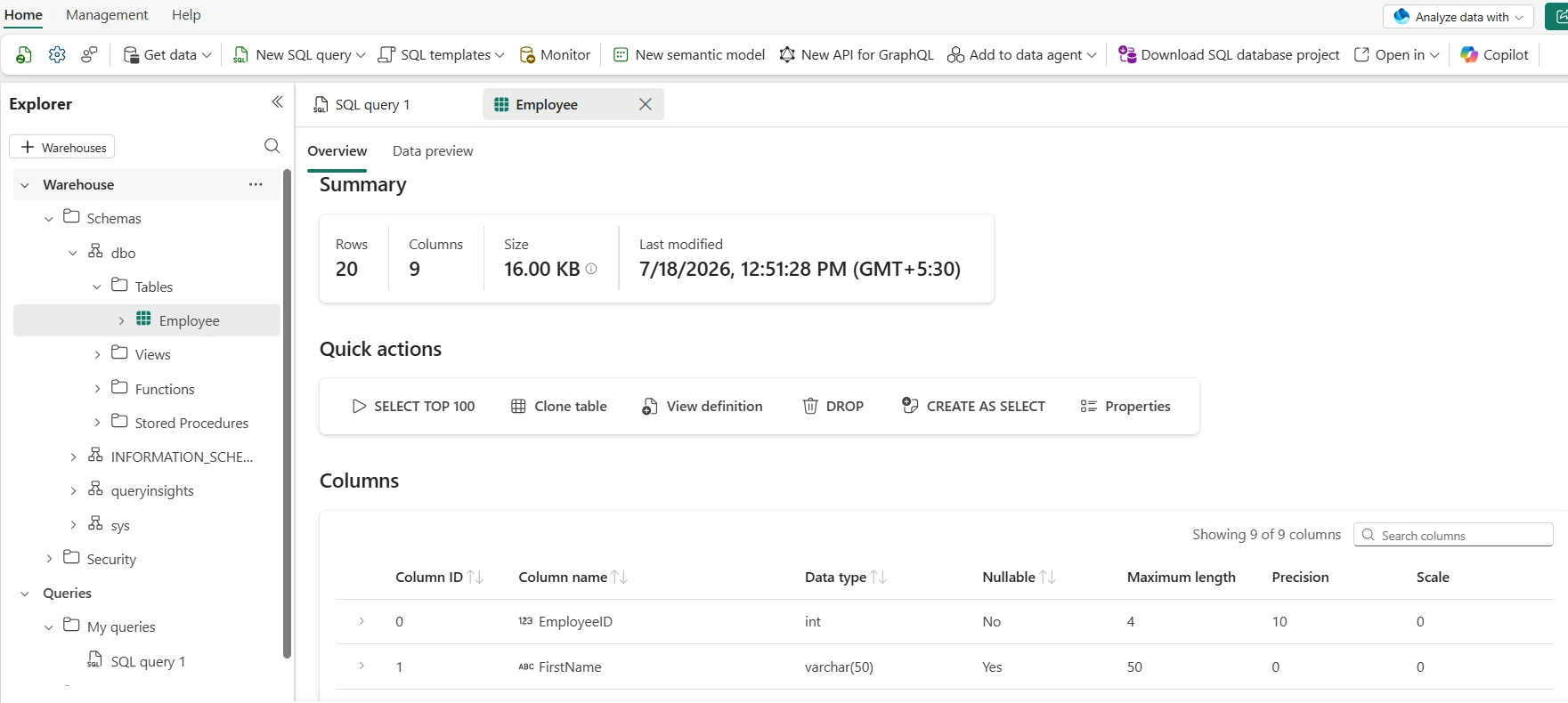
Create a curated fact table with CTAS
Use CREATE TABLE AS SELECT to build initial fact tables from refined Silver layer data. Fabric handles distribution automatically — do not include Synapse-style DISTRIBUTION or CLUSTERED COLUMNSTORE INDEX syntax.
CREATE TABLE dw.fact_sales
AS
SELECT
  order_id,
  customer_id,
  product_id,
  CAST(sale_date  AS DATE)           AS sale_date,
  CAST(quantity   AS INT)            AS quantity,
  CAST(amount     AS DECIMAL(18,2))  AS amount
FROM refined.sales_transactions
WHERE amount >= 0;
MERGE for idempotent incremental loads
Use MERGE for upsert logic on incremental fact table loads from CDC or staged updates.
MERGE INTO dw.fact_sales AS target
USING staging.sales_updates AS source
  ON target.order_id = source.order_id
WHEN MATCHED THEN
  UPDATE SET
    target.quantity  = source.quantity,
    target.amount    = source.amount,
    target.sale_date = source.sale_date
WHEN NOT MATCHED THEN
  INSERT (order_id, customer_id, product_id, sale_date, quantity, amount)
  VALUES (source.order_id, source.customer_id, source.product_id,
          source.sale_date, source.quantity, source.amount);
Hybrid — Spark notebook + Warehouse CTAS
Use Spark for heavy distributed transformations in the Silver layer, then CTAS in the Warehouse for the governed Gold table. Both read the same Delta files in OneLake.
# PySpark in Fabric notebook — build Silver layer
df_raw = spark.read.table("landing.sales_raw")
df_clean = (
    df_raw
    .dropDuplicates(["order_id"])
    .filter("amount >= 0")
)
df_clean.write.format("delta").mode("overwrite")     .saveAsTable("refined.sales_clean")
# Fabric Warehouse then uses refined.sales_clean as source for CTASThe June 2026 Fabric update includes a performance improvement for Warehouse to Lakehouse data movement via Dataflow Gen2 staging compute. If you move data from Warehouse into a Lakehouse destination via Dataflow Gen2, this is now faster without any configuration change.
For Spark transformation patterns in detail, see Transform Data Using Notebooks in Fabric.
Performance Tuning & Cost Optimization
Fabric’s distributed SQL engine provides automatic workload management for standard workloads. Physical design and query patterns still determine cost and latency at scale.
- Partition by date for fact tablesPartition large fact tables by the date column that aligns with your most common query filters. This allows the engine to skip entire Delta file partitions rather than full scans.
- OPTIMIZE and Z-ORDERRun OPTIMIZE periodically to compact small Delta files created by incremental loads. Z-ORDER on your most selective filter columns — such as customer_id or product_id — to co-locate related rows and reduce I/O.
- Materialized views for hot aggregationsCreate materialized views for expensive aggregations that power high-concurrency dashboards. The engine refreshes them incrementally without manual refresh scheduling.
- Use Direct Lake for Power BIConnect Power BI semantic models to Warehouse tables via Direct Lake mode rather than Import. This eliminates dual storage, removes import refresh latency, and reduces capacity consumption.
- Monitor with Capacity MetricsReview query history and the Fabric Capacity Metrics app regularly to identify long-running queries and workloads that should be rescheduled off-peak.
-- Compact Delta files and Z-ORDER on selective filter column
OPTIMIZE dw.fact_sales
ZORDER BY (customer_id);

-- Materialized view for a dashboard aggregation
CREATE MATERIALIZED VIEW dw.mv_sales_by_region
AS
SELECT
  region,
  CAST(sale_date AS DATE)  AS sale_date,
  SUM(amount)              AS total_revenue,
  COUNT(*)                 AS order_count
FROM dw.fact_sales f
JOIN dw.dim_customer c ON f.customer_id = c.customer_id
GROUP BY region, CAST(sale_date AS DATE);
For deeper capacity planning and pause/resume strategies, see Fabric Data Warehouse Optimization and Fabric Capacity Optimization.
GPU-Accelerated Warehouse & AI Functions — 2026
Advertisements
GPU-Accelerated Fabric Data Warehouse
At Microsoft Build 2026, Microsoft announced GPU-accelerated Fabric Data Warehouse, entering early access preview in July 2026. No general availability date has been announced yet.
GPU-accelerated Fabric Data Warehouse uses NVIDIA accelerated computing integrated directly into the Fabric query engine. Eligible queries run on GPU hardware automatically — no query rewrites, no infrastructure management, no configuration required. The underlying research is CoddSpeed, published at ACM SIGMOD 2026 where it won the Best Industry Paper award, using a GPU-based execution engine derived from Microsoft’s Tensor Query Processor (TQP).
| Detail | Value (July 2026) |
|---|---|
| Performance gain | Up to 7× faster at 64-user concurrency — internal benchmarks, May 2026 |
| Hardware | NVIDIA accelerated computing via NVLink and InfiniBand |
| Query changes required | None — same T-SQL, eligible queries accelerated automatically |
| Infrastructure management | None — fully managed by Fabric |
| Status | Early Access Preview — opening July 2026; no GA date announced |
| Research | CoddSpeed — ACM SIGMOD 2026 Best Industry Paper |
Not all queries are eligible for GPU execution — the engine selects eligible workloads automatically. Verify current availability, eligibility, and GA timing at Microsoft Learn before planning production deployments around GPU performance figures.
AI Functions in Fabric Data Warehouse — June 2026
As of June 2026, AI Functions in Fabric Data Warehouse default to gpt-5-mini with low reasoning enabled. For more complex transformations, configure gpt-5.1 and tune the reasoning_effort parameter. AI Functions support sentiment analysis, text classification, summarization, and entity extraction directly within T-SQL queries and Dataflow Gen2.
If you have pipelines pinned to gpt-4.1 (retired May 30, 2026), migrate them to gpt-5.1. If pinned to gpt-4.1-mini (retired June 15, 2026), migrate to gpt-5-mini. Pipelines still referencing retired models will fail.
Operationalizing — Pipelines, Monitoring & CI/CD
Production data warehouses require reliable orchestration, testable deployments, and observable pipelines. Fabric provides native tooling for all three.
Orchestration with Data Pipelines
Use Data Pipelines to orchestrate Warehouse stored procedures, notebook executions, and Dataflow Gen2 runs. Configure retry policies and failure alerts per activity. Pass run_date, environment, and source system parameters into activities so the same pipeline works across dev, test, and prod workspaces.
-- Audit table: log row counts after every load
INSERT INTO dw.load_audit (table_name, load_ts, row_count, status)
SELECT
  'dw.fact_sales',
  SYSDATETIME(),
  COUNT(*),
  'Succeeded'
FROM dw.fact_sales;
CI/CD and Git Integration
Connect your Fabric workspace to a Git repository — Azure DevOps or GitHub. Warehouse DDL scripts, stored procedures, and pipeline definitions are version-controlled. Use pull request approvals and automated integration tests — row count checks, constraint validation, DAX measure assertions — before merging schema changes to production.
The Refresh SQL Endpoint pipeline activity reached GA in the June 2026 update. Add it to your pipeline after a Lakehouse write to ensure the SQL analytics endpoint reflects the latest Delta changes before downstream queries run. This removes the need for manual endpoint refreshes or wait activities.
For step-by-step orchestration examples, see Data Pipelines in Microsoft Fabric.
Security & Governance
Fabric centralises Warehouse, Lakehouse, and Power BI on OneLake — which makes consistent identity, access control, lineage, and monitoring essential for compliance and data trust.
- Workspace RBACAssign Admin, Member, Contributor, or Viewer roles to control who can create or modify Warehouse items, pipelines, and notebooks.
- Object-level securityUse T-SQL GRANT/REVOKE to control access to specific tables, views, and stored procedures. Workspace-level access does not automatically grant access to all tables.
- Row-level securityApply row filters using T-SQL security predicates when different user groups must see different subsets of the same table.
- Column maskingMask or hash PII columns in the Warehouse, or expose only masked views to downstream consumers. Enforce at the data layer — not in Power BI measure logic.
- Purview integrationRegister Warehouse objects in Microsoft Purview for lineage, sensitivity labels, and DLP policies. Test DLP policies before rollout to confirm they do not block expected query patterns.
-- Read-only role for analytics team
CREATE ROLE dw_readonly;
GRANT SELECT ON SCHEMA::dw TO dw_readonly;
EXEC sp_addrolemember 'dw_readonly', 'analytics_team_group';

-- Row-level security: reps see only their region
CREATE FUNCTION dw.fn_rls_region (@region NVARCHAR(50))
RETURNS TABLE WITH SCHEMABINDING
AS RETURN SELECT 1 AS result
WHERE @region = USER_NAME() OR IS_MEMBER('dw_admin') = 1;

CREATE SECURITY POLICY dw.region_filter
ADD FILTER PREDICATE dw.fn_rls_region(region) ON dw.fact_sales
WITH (STATE = ON);
For a dedicated governance guide including Purview setup, see Microsoft Fabric Data Governance Tutorial.
Synapse Dedicated SQL Pool to Fabric — Migration Guide
T-SQL compatibility between Synapse Dedicated SQL Pools and Fabric Warehouse is high. The differences are in DDL syntax related to distribution and storage, which Fabric manages automatically.
Step 1 — Remove Synapse-Specific DDL Syntax
Remove DISTRIBUTION (HASH, ROUND_ROBIN, REPLICATE) and CLUSTERED COLUMNSTORE INDEX from all CREATE TABLE statements. Fabric’s engine manages distribution and columnar storage automatically. Also remove REBUILD, REORGANIZE INDEX, and CREATE STATISTICS calls — Fabric handles these automatically via OPTIMIZE.
-- Synapse (remove the WITH clause for Fabric)
CREATE TABLE dbo.fact_sales
(
  order_id    INT            NOT NULL,
  customer_id INT            NOT NULL,
  sale_date   DATE           NOT NULL,
  amount      DECIMAL(18,2)
)
WITH (DISTRIBUTION = HASH(customer_id),
      CLUSTERED COLUMNSTORE INDEX);  -- remove this block

-- Fabric (clean DDL)
CREATE TABLE dw.fact_sales
(
  order_id    INT            NOT NULL,
  customer_id INT            NOT NULL,
  sale_date   DATE           NOT NULL,
  amount      DECIMAL(18,2)
);
Step 2 — Data Movement Strategy
- Export from Synapse via CETASUse CREATE EXTERNAL TABLE AS SELECT in Synapse to export data to ADLS Gen2 as Parquet. This runs in parallel and is orders of magnitude faster than row-by-row extraction.
- Create a Shortcut in OneLakeIn your Fabric Lakehouse, create a Shortcut pointing to the ADLS Gen2 container where Synapse exported the Parquet files. The data appears as a table in OneLake immediately — no copy.
- Ingest to Warehouse with COPY INTOUse COPY INTO in Fabric Warehouse to load the Parquet data at high speed from the Shortcut. This is the fastest supported path for bulk historical data ingestion.
Microsoft provides a Migration Assistant for Data Warehouse that assesses your Synapse Dedicated SQL Pool and generates a migration readiness report. As of June 2026, the Migrate button is directly accessible from the Fabric workspace menu — no separate tool download required.
For the full feature comparison, see Microsoft Fabric vs Azure Synapse — Full Comparison & Limitations.
Common Errors & Fixes
| Error / Symptom | Root Cause | Resolution |
|---|---|---|
| Error 24801 — Query Cancelled | Capacity throttling — burst usage exceeds F-SKU limits | Check Fabric Capacity Metrics app. Avoid SELECT * on large tables. Smooth workloads across 24 hours or upgrade F-SKU. See capacity optimization guide. |
| Transaction log full during large DML | Delta log limit reached in a single massive DELETE/UPDATE transaction | Batch large DML into smaller chunks — for example, delete by date partition rather than a single WHERE clause across billions of rows. |
| Direct Lake fallback to DirectQuery | Views with unsupported T-SQL or non-deterministic functions used in Direct Lake model | Materialize views into physical tables. Remove non-deterministic functions from objects consumed by Direct Lake. See Direct Lake fallback fix guide. |
| Error 110802 — OpenRowset path invalid | Incorrect ABFSS path format or missing Read permissions on OneLake item | Verify path format: abfss://<workspace>@onelake.dfs.fabric.microsoft.com/<item>/… Confirm the identity has Read permission on the Lakehouse item. |
| COPY INTO fails — format mismatch | Parquet schema mismatch between source file and target table definition | Verify column names and data types match exactly. Use FORMAT = ‘PARQUET’ and inspect source schema with a SELECT from the external file before running COPY INTO. |
| AI Function error after May 30, 2026 | Pipeline pinned to retired gpt-4.1 model | Migrate from gpt-4.1 to gpt-5.1, or from gpt-4.1-mini to gpt-5-mini. Update all hardcoded model references in Dataflow Gen2 and Warehouse AI Function calls. |
FAQ — Data Warehousing in Microsoft Fabric
Official Resources & Further Reading
This guide is verified against Microsoft Learn documentation, the Microsoft Fabric Community blog, and Microsoft Build 2026 announcements as of July 2026. GPU-accelerated Fabric Data Warehouse is entering early access preview — features, timelines, and general availability are subject to change. Always check the official documentation before production deployments. UIG Data Lab is an independent publication, not affiliated with or endorsed by Microsoft Corporation.