Microsoft Fabric Overview — Complete 2026 Guide
Architecture, OneLake, all eight workloads, Fabric IQ GA, GPU-accelerated Warehouse, storage tiers, Fabric Apps, capacity model, and everything that changed through June 2026 — all verified against Microsoft Learn and official build announcements.
Microsoft Fabric is a unified, SaaS-based analytics platform that combines Data Engineering, Data Factory, Data Warehouse, Real-Time Intelligence, Data Science, Power BI, Fabric IQ, and Fabric Apps under one capacity bill and one storage layer — OneLake. All data persists in open Delta Parquet format, enabling Power BI’s Direct Lake mode to query data at import speed with zero data movement. As of Microsoft’s Q3 FY2026 earnings call (June 2026), Fabric has 35,000 paid customers, up 60% year-over-year, and OneLake data stored in Fabric grew nearly 4x YoY (source). Fabric IQ reached GA at Build 2026, GPU-accelerated Data Warehouse is available (up to 7× faster, SIGMOD 2026 Best Industry Paper), and OneLake storage tiers (Hot/Cool/Cold) with lifecycle management are in Preview.
Microsoft Fabric Overview – The Eight Fabric Workloads
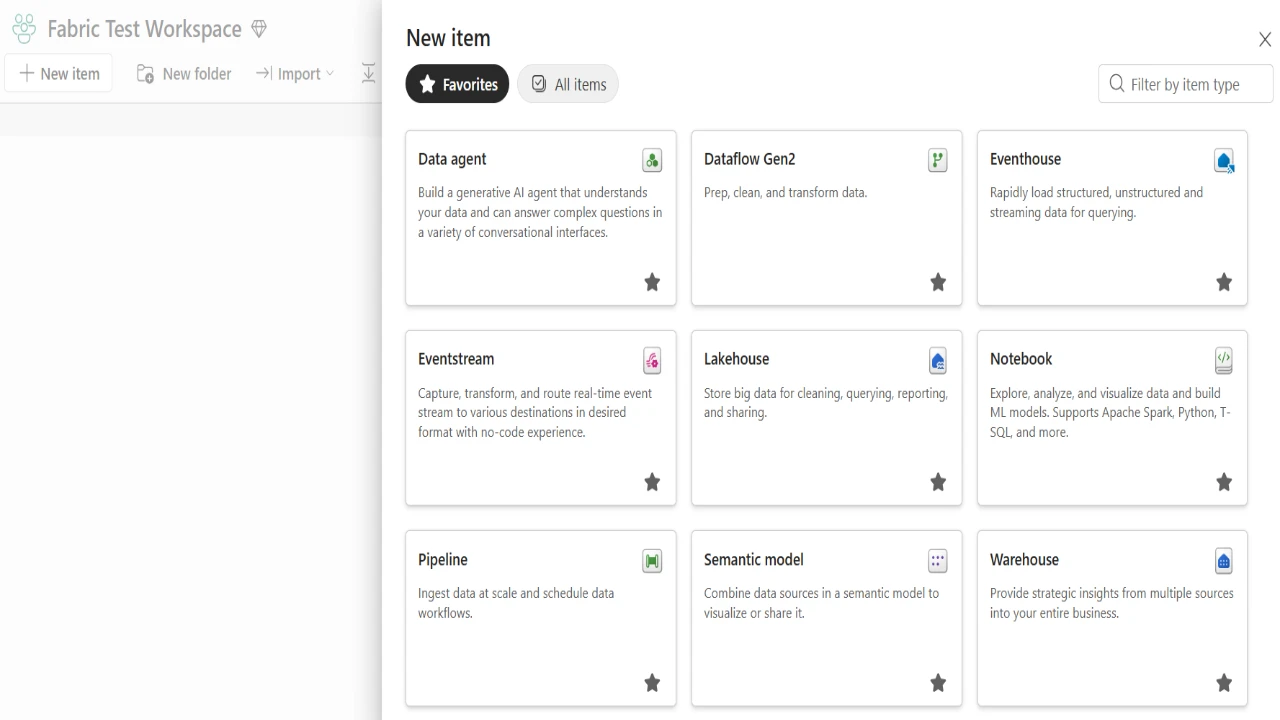
Every Fabric workload shares the same OneLake storage, the same capacity billing pool, the same Entra ID identity, and the same Purview governance surface. No data movement between workloads is required.
The Paradigm Shift — Why Fabric
Advertisements
For the previous decade, data teams assembled “modern data stacks” by connecting separate PaaS services: Azure Data Factory for orchestration, Databricks for engineering, Synapse Analytics for warehousing, and Power BI for reporting. Each service had its own storage, its own security model, and its own billing. Data moved between them constantly — each hop creating copies, latency, and cost.
Fabric’s core architectural premise is that this fragmentation is the problem, not the individual tools. The platform is SaaS-delivered — Microsoft manages compute scaling, runtime upgrades, and infrastructure. Teams provision a Capacity (a pool of Compute Units) shared across all workloads, and all data lands in OneLake — once, in open Delta Parquet format, accessible to every engine without copying.
The OneCopy Principle
In a legacy stack, the same dataset physically exists multiple times: raw in ADLS, cleaned in Databricks, loaded into Synapse, imported into Power BI. That is four storage bills, four synchronisation jobs, four points of failure, and up to 24 hours of data latency by the time Power BI reports on it.
In Fabric: data lands in OneLake once. The Spark notebook cleans it in place. The SQL analyst queries the same file via T-SQL. Power BI reads that same file via Direct Lake. Zero movement. Zero duplication. The Fabric vs. Azure Synapse comparison covers the full technical and cost implications of this shift.
| Legacy PaaS Stack | Microsoft Fabric (SaaS) |
|---|---|
| Separate storage per service (ADLS, Databricks, Synapse, Power BI) | Single OneLake — all engines read the same Delta Parquet files |
| Multiple billing meters — each service invoiced separately | One Capacity Unit (CU) pool shared by all workloads |
| Separate security models per service — permissions duplicated | Unified Entra ID identity and Purview governance across all workloads |
| Data movement between every layer — cost and latency | No movement — compute comes to the data |
| CI/CD and Git per service — fragmented deployment | Unified Git integration (Azure Repos, GitHub) across all Fabric items |
The SaaS vs. PaaS framing matters most when it comes to runtime upgrades and platform incidents. In a PaaS stack, a Databricks runtime update is something the team controls and schedules. In Fabric, Microsoft manages it — which is faster for most teams and a governance concern for regulated industries that pin production workloads to specific runtime versions. For the latter, Databricks’ LTS runtime track is still the more appropriate choice. The honest answer is that Fabric’s SaaS model is a net advantage for 80% of enterprise teams and a genuine trade-off for the 20% with strict runtime stability requirements.
OneLake — The Storage Foundation
OneLake is the single, logical data lake for every Fabric tenant. It is built on top of ADLS Gen2 and supports all ADLS Gen2 APIs and SDKs — Azure Databricks, custom ADLS applications, and existing tooling connect without modification. The hierarchy is Tenant → Domain → Workspace → Item. Every workspace appears as a container; every Lakehouse, Warehouse, and Eventhouse appears as a folder within that container.
All Fabric items store tabular data automatically in Delta Parquet format. A Spark engineer writes to a Lakehouse. A SQL developer writes to a Warehouse. Both are writing Delta Parquet files to the same OneLake — contributing to the same unified data lake without any explicit integration between them.
Shortcuts — Virtualise External Data
Shortcuts link external storage (AWS S3, Google Cloud Storage, other ADLS Gen2 accounts, or other Fabric Lakehouses) into the OneLake namespace. To all Fabric compute engines, shortcut data appears local. There are no egress fees for reads within the Fabric compute surface, and no ETL job required to make external data queryable. The OneLake shortcut authorization fix guide covers the most common permission issues when setting up cross-workspace shortcuts.
OneLake Storage Tiers — June 2026 Preview
OneLake now supports three storage tiers, matching the Azure Storage hot/cool/cold model. As data volumes grow — particularly Bronze compliance archives — the ability to tier historical data automatically cuts storage costs without changing pipeline or query logic.
| Tier | Optimised For | When to Use | Cost Trade-Off |
|---|---|---|---|
| Hot Default | Frequently accessed data | Active Delta tables — Gold layer, Silver layer, any data queried by Spark, SQL endpoint, or Direct Lake | Standard storage, lowest transaction cost |
| Cool Preview | Infrequently accessed data | Historical partitions accessed monthly or less — older Bronze partitions | Lower storage cost, higher transaction and retrieval cost than Hot |
| Cold Preview | Long-term compliance archives | Data accessed less than once per year — regulatory retention archives | Lowest storage cost, highest transaction and retrieval cost |
_delta_log/ directories from any cooling rule — Delta transaction log files are read on every table open.Delta and Iceberg — Open Formats
Fabric defaults to Delta Lake with V-Order write-time optimisation — a sort within Parquet files that dramatically improves read performance across all Fabric engines. As of 2026, OneLake also supports Apache Iceberg natively, enabling bidirectional access with Snowflake-managed Iceberg tables and interoperability with other Iceberg-native platforms. The Delta Lake vs. Iceberg comparison explains the trade-offs for teams evaluating both.
Compute Architecture
All Fabric compute is serverless — engines start on demand, process data in OneLake, and release resources when done. There are no VMs to manage, no cluster sizes to configure, no distribution keys to design. The three compute engines serve different workload types.
Polaris — Spark Runtime
- Fabric Runtime 1.3 — Spark 3.5, Delta Lake 3.x
- Starter Pools: 5–15 second cold start
- High Concurrency mode (January 2026): up to 5 Lakehouse jobs share one Spark session
- V-Order write-time optimisation enabled by default
- Used by Notebooks, Spark Job Definitions, and Dataflow Gen2
Polaris — SQL Engine
- Distributed, serverless T-SQL — no distribution keys
- Full ACID transactions and multi-table writes
- GPU-accelerated as of Build 2026 — NVIDIA compute, up to 7× faster
- SIGMOD 2026 Best Industry Paper for the underlying CoddSpeed research
- Used by Data Warehouse and Lakehouse SQL analytics endpoint
VertiPaq — Power BI Engine
- Column-store in-memory engine behind Power BI semantic models
- Direct Lake mode: reads Delta Parquet from OneLake directly without import
- Shares the same F-SKU capacity pool as ETL and warehouse workloads
- Sub-second interactive query performance on billions of rows when framing limits are not exceeded
For the Spark vs. SQL architectural decision — when to use a Lakehouse and when to use a Warehouse — the Lakehouse vs. Data Warehouse best practices guide covers the full decision framework. For Spark performance optimisation — shuffle tuning, partition strategy, broadcast joins — see the Spark shuffle and partitions guide.
Direct Lake — The Power BI Revolution
Direct Lake is the connection mode that makes Power BI in Fabric different from every prior approach. It allows the VertiPaq engine to load Delta Parquet columns from OneLake directly into memory on demand — without an import job, without a scheduled refresh, without a data copy. Reports reflect data as soon as the upstream ETL or Materialized Lake View refresh writes new files.
This closes the historical trade-off between Import mode (fast but stale) and DirectQuery (live but slow). Direct Lake delivers import-level performance on datasets of any size, including billions of rows, provided the model stays within the F-SKU’s memory framing limit.
Direct Lake silently falls back to DirectQuery when: unsupported DAX functions are used, the semantic model exceeds the SKU framing limit, OneSecurity (OneLake data access roles preview) is enabled on the Lakehouse, or relationship cardinality is unsupported. When fallback occurs, report users see no error — only a performance degradation that looks like a slow report. Diagnose via Power BI Desktop Performance Analyzer — look for DirectQuery storage engine events in the log. See the Direct Lake fallback fix guide for full diagnostics.
For teams migrating from Power BI Premium P-SKUs, the Power BI Premium to Fabric migration guide covers SKU mapping, deadlines, and step-by-step migration methods. For Direct Lake performance optimisation aligned to the DP-600 exam, see the DP-600 Direct Lake optimisation guide.
Fabric IQ — The Shared Context Layer GA — Build 2026
Advertisements
Fabric IQ reached General Availability at Microsoft Build 2026 (June 2, 2026). It is the shared context layer that gives AI agents, analysts, and automated systems a consistent understanding of what the data means — not just where it is stored.
| Fabric IQ Component | Status | What It Does |
|---|---|---|
| Operations Agents | GA | Monitor live data, apply Ontology business context, execute automated actions autonomously |
| Graph in Fabric | GA | Relationship-first modelling engine mapping connections between business entities and systems |
| Planning in Fabric | GA — June 2026 | Agent reasoning and multi-step task decomposition layer |
| Fabric Data Agent | GA | Conversational NL → SQL/DAX/KQL over governed OneLake sources (up to five per agent) |
| Ontology | Preview | Business entity, relationship, rule, and action definitions mapped to live OneLake data |
Fabric IQ is also part of Microsoft IQ — the unified intelligence layer launched at Build 2026, combining Work IQ (M365 workplace context), Foundry IQ (enterprise knowledge retrieval), Fabric IQ Ontology (business semantics), and Web IQ (live web grounding). The full deep-dive is in the Microsoft Fabric IQ complete guide.
For AI and RAG patterns on top of OneLake data — building conversational interfaces grounded in enterprise data using Azure OpenAI, LangChain, or Semantic Kernel — see the Fabric RAG tutorial.
June 2026 — What Changed at Build & in the June Release
Build 2026 (June 2–3, 2026) and the June 2026 Feature Summary (June 2, 2026) together represent the largest single Fabric release in 2026. Key changes by workload:
The shared context layer for AI agents is now production-ready. Operations Agents GA, Graph GA, Planning GA (later in June). Ontology remains in Preview, expected GA in coming months.
NVIDIA GPU compute built into Fabric Data Warehouse. Up to 7× faster for reporting and application workloads vs. comparable vendors. SIGMOD 2026 Best Industry Paper for the underlying CoddSpeed research. UNC Health reports 5× query speed improvement in early customer testing.
New workload: build and run full application backends directly on Fabric using the Rayfin SDK (built in partnership with Replit). App data lands in OneLake automatically, available to the full Fabric analytics stack. Static hosting from OneLake included. Perpetual free tier announced.
Hot/Cool/Cold tiers with lifecycle management policies. Automatically moves historical Bronze data to lower-cost tiers based on creation date, last modified, or last access. Excludes Delta transaction logs from cooling rules — critical to avoid performance regressions.
Service principal authentication for Data Agents (Preview) enables backend and automated workflow integrations. Preview Runtime with improved NL2SQL and higher query limits. Code Interpreter adds Python execution to agent responses for forecasting and statistical analysis. GPT 5.X model upgrades — ~20% accuracy improvement.
ADF Mapping Data Flow transformations now available inside Dataflow Gen2 (week of June 8). dbt Job API for programmatic CI/CD control. ADF Migration Tool now includes MDF asset migration support. Variable Library connection and item references GA.
Approval Activity (Preview) adds human-in-the-loop governance gates to pipelines. Conditional Retries (Preview) enable targeted failure recovery. Copy Job Activity reached GA in April 2026. Outbound access protection for all Data Factory items reached GA.
Business Events introduces a unified pub-sub model for routing raw signals into business outcomes across the platform. Workspace Monitoring for Eventstream items via Eventhouse. Eventhouse SQL endpoint CI/CD support, time travel via SQL endpoint (both Preview).
Fabric Git integration now supports ghe.com Enterprise Cloud instances with data residency requirements. Fabric items version-controlled within specific geographic boundaries for regulatory compliance.
Cross-workspace MLflow logging for experiments and models enables end-to-end MLOps from development through test to production using standard MLflow APIs. Supports importing ML assets from Azure Databricks, Azure Machine Learning, and any MLflow-compatible platform.
Capacity, Licensing & Economics
Fabric billing is based on a single metric: Capacity Units (CUs). You purchase a Fabric Capacity (F2 through F2048) through an Azure subscription, and all workloads — Spark notebooks, SQL warehouse queries, Power BI report rendering, pipeline runs, Real-Time Intelligence — draw from the same CU pool. This is the fundamental billing difference from the legacy stack, where each service had its own meter.
Smoothing and Bursting
Fabric allows bursting — consuming more CUs than the purchased capacity during short spikes — provided there is idle headroom available to “pay back” the burst within a 24-hour smoothing window. Interactive operations (loading a report, running a query) receive higher priority than background operations (pipeline refresh, Spark job) during CU contention. If the smoothing window is consistently exceeded, interactive operations are throttled. The Fabric capacity optimisation guide covers burst management, monitoring, and pause/resume scheduling in detail.
P-SKU Retirement — Non-EA Customers Passed End-of-Life
Non-EA customers reached end-of-life on January 1, 2026. EA customers must migrate before their EA term ends, or by January 1, 2028 — whichever is earlier. After subscription ends: 30 days free equivalent capacity, then 90 days of throttled access, then data suspension. F64 is the functional equivalent of P1 — purchased through the Azure portal, not the Power BI admin portal. See the Power BI Premium to Fabric migration guide for SKU mapping, cost analysis, and step-by-step migration paths.
For cost estimation and workload-specific modelling, the Microsoft Fabric pricing calculator provides scenario-based estimates. For production stability and uptime strategy, see the production stability review.
Governance, Security & Domains
Fabric governance is built on Microsoft Entra ID for identity and Microsoft Purview for cataloguing, lineage, and sensitivity labels. The same Purview sensitivity labels applied in Microsoft 365 inherit automatically to Fabric items — no additional configuration.
Security Layers
| Layer | Mechanism | Scope |
|---|---|---|
| Workspace RBAC | Admin, Member, Contributor, Viewer roles via Entra ID | Controls who can edit Fabric items, notebooks, and pipelines in a workspace |
| Item permissions | ReadAll, ReadData, Build permissions per item | Grant access to a specific Lakehouse or Report without exposing the full workspace |
| OneLake folder security | Folder-level access control within OneLake paths | Sub-folder access for teams with different Bronze/Silver/Gold ownership boundaries |
| SQL Row-Level Security | RLS defined in SQL analytics endpoint or semantic model | Filter rows based on user identity — regional data access, tenant isolation |
| Column masking | Dynamic data masking in SQL analytics endpoint | Mask PII columns from non-admin roles without changing ETL output |
| Customer-managed keys | GA — OneLake encrypted with customer-owned Azure Key Vault keys | Regulated industries requiring control over encryption key lifecycle |
| Outbound access protection | GA (June 2026) for all Data Factory items | Workspace-level control over which external endpoints pipelines can reach |
Domains
Fabric Domains (Sales, Finance, HR, Operations) federate governance — business units manage their own data products while IT maintains central oversight. Data can be certified to signal trustworthiness to downstream consumers. The Fabric data governance tutorial covers the full domain, lineage, and sensitivity label configuration.
Migrating from Azure Synapse to Fabric
Fabric is the designated successor to Azure Synapse Analytics. Synapse remains supported, but all new capabilities — Fabric IQ, GPU warehouse, Direct Lake, Mirroring, Real-Time Intelligence, Fabric Apps — are Fabric-only. The migration decision for most teams is not whether to migrate, but when and in what order.
| Synapse Component | Fabric Equivalent | Migration Complexity |
|---|---|---|
| Serverless SQL Pools | Lakehouse SQL analytics endpoint | Low — T-SQL compatible; Delta Parquet replaces Parquet-on-ADLS |
| Dedicated SQL Pools | Fabric Data Warehouse | Medium — T-SQL is compatible; no distribution keys to manage in Fabric; review partition strategies |
| Spark Pools | Fabric Notebooks + Spark Job Definitions | Low-Medium — PySpark code largely compatible; Fabric Runtime 1.3 (Spark 3.5) |
| ADF / Synapse Pipelines | Fabric Data Factory Pipelines | Low — ADF Migration Tool (Preview, March 2026) migrates pipelines with no rewrites; MDF asset migration included (June 2026) |
| Power BI Premium datasets | Direct Lake semantic models on Fabric Lakehouse | Medium — Import mode replaced by Direct Lake; RLS moves to semantic model level |
Frequently Asked Questions
Platform descriptions and feature status are based on official Microsoft Learn documentation, the Fabric June 2026 Feature Summary (June 2, 2026), the Microsoft Build 2026 Azure blog, and Microsoft’s Q3 FY2026 earnings call (June 2026) for customer and revenue figures. Preview feature timelines are subject to change. Verify current status at learn.microsoft.com/fabric and the Fabric Updates Blog. UIG Data Lab is an independent publication, not affiliated with or endorsed by Microsoft Corporation.