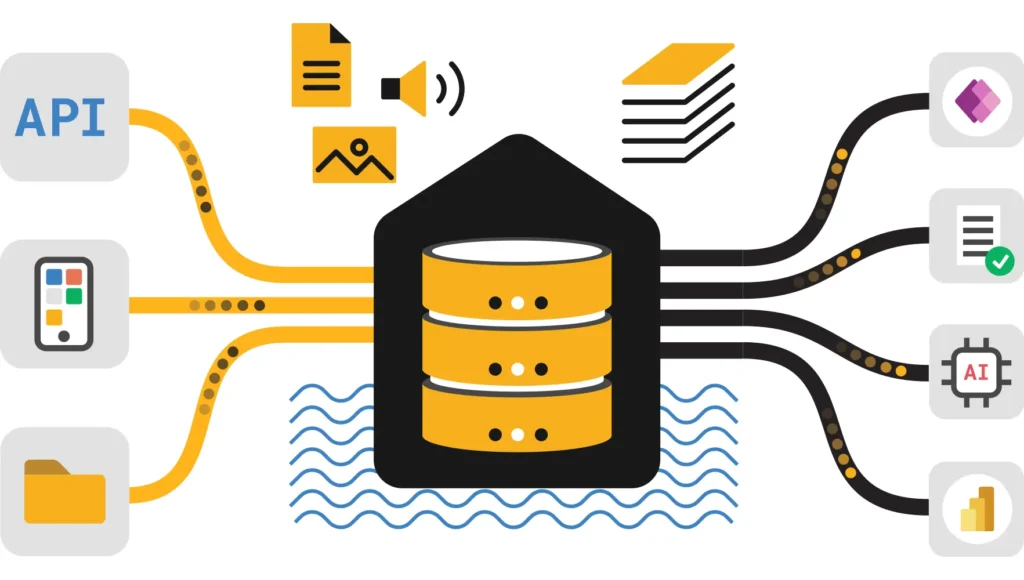
Delta Lake Optimization in Microsoft Fabric: OPTIMIZE, VACUUM, V-Order and Liquid Clustering
A practical production guide to small-file control, table layout, deletion vectors, safe retention, and automated maintenance across Spark, the SQL analytics endpoint, and Power BI Direct Lake.
A Fabric Lakehouse can start fast and then slow down as the data grows, even when the business query hasn’t changed. A common cause is the physical shape of the Delta table: too many small Parquet files, a layout that doesn’t suit the filters people use, repeated updates, and obsolete files that remain in OneLake.
Optimizing a Delta table isn’t one command. OPTIMIZE compacts and reorganises active files. Auto compaction stops small files building up in the first place. V-Order can help read-heavy Fabric consumers. Liquid clustering helps file skipping. Deletion vectors make row-level changes cheap. VACUUM removes files that are no longer referenced once the retention window has passed. Each one solves a different problem, and this guide shows you which to reach for.
OPTIMIZE, REORG, or VACUUM against a Fabric Warehouse table or through the SQL analytics endpoint. Warehouse manages its own layout and compaction, and database mirroring manages its destination layout too. Section 12 covers both.1. Why Delta table maintenance matters
Fabric Lakehouse tables use Delta Lake transaction metadata over Parquet data files. Each committed version describes which files belong to the current snapshot. That design gives you reliable reads while writes, updates, merges, and deletes create new versions.
Over time, frequent small writes create many small Parquet files. A query then spends more effort listing files, reading footers, and planning tasks. Repeated MERGE, UPDATE, and DELETE operations also leave older files unreferenced, or mark rows deleted through deletion-vector metadata. Microsoft is blunt about this: even append-only tables that perform well at first can pick up excessive small files, and that affects Spark, the SQL analytics endpoint, Direct Lake, and external readers.
Before: frequent small writes leave many files for readers and the planner to handle.
After: the same logical rows sit in fewer, better-sized files. This is conceptual. Real output depends on table size, workload, and runtime settings.
Combine many small files into fewer larger ones to cut metadata and task overhead. Commands: OPTIMIZE and auto compaction.
Arrange data so selective queries can skip files. Liquid clustering for most new tables, or Z-Order for suitable existing partitioned ones.
Delete old files that the Delta log no longer references. Command: VACUUM. It saves storage, not query time.
These are complements, not substitutes. OPTIMIZE doesn’t remove every obsolete file from storage. VACUUM doesn’t compact the active layout. Clustering only helps when its columns match real filters.
2. Choose the strategy by producer and consumer
Advertisements
A Delta table in OneLake can be written by Spark, Copy activity, or Dataflow Gen2, and read by Spark, the SQL analytics endpoint, or Direct Lake. The writer and the readers decide who owns the physical layout and which optimisations make sense.
| Producer | Main consumer | Microsoft’s recommended starting point |
|---|---|---|
| Spark notebook or job | Spark | Use Runtime 2.0 or later defaults and enable auto compaction. Consider liquid clustering when measured predicates benefit from file skipping. |
| Spark notebook or job | SQL analytics endpoint | Use the same layout as for Spark. Don’t set a static file size, an arbitrary row limit, or V-Order solely for SQL endpoint performance. |
| Spark notebook or job | Power BI Direct Lake | Same layout as Spark, plus V-Order, or use the readHeavyForPBI resource profile. |
| Copy activity or Dataflow Gen2 | Spark, SQL endpoint, or Direct Lake | Inspect the resulting file layout and schedule compatible Lakehouse maintenance separately. Some modes, such as Dataflow Gen2 incremental refresh, restrict maintenance. |
| Fabric Warehouse | Warehouse or Spark | Use the system-managed layout. Warehouse compacts automatically. Use data clustering for recurring selective predicates. |
| Database mirroring | Any Fabric engine | Fabric manages the V-Ordered layout. There are no direct layout controls on the destination. |
Microsoft’s wider advice is to reuse one shared table wherever consumers’ needs are compatible, rather than copying a table for every engine. It suggests a separate table only for an independent purpose, such as a different grain, different security or retention, a latency need the shared table can’t meet, or a consumer-specific layout whose measured benefit outweighs the storage, processing, and governance cost.
OPTIMIZE or REORG TABLE. Check the destination mode before you schedule either one.3. Diagnose table health before running maintenance
Don’t schedule a full-table OPTIMIZE just because a table exists. Look at its size, file count, recent operations, and workload first. Run these in a Fabric notebook with a Spark SQL cell, replacing the example table name.
Inspect table detail and history
DESCRIBE DETAIL sales.orders;

DESCRIBE HISTORY sales.orders LIMIT 20;
DESCRIBE DETAIL shows file count and total size, plus the evaluated adaptive file size property. DESCRIBE HISTORY shows whether the table is mostly appends, merges, deletes, overwrites, or earlier maintenance runs. A high file count isn’t automatically a problem, because it depends on table size and query pattern. A file count that climbs faster than the table’s size is the signal.
Check average file size across several tables
Average file size is a quick first indicator. This notebook cell loops over a list of tables and prints a small report. Replace the list with your own tables. The threshold is your own choice for flagging tables to look at, not Microsoft guidance.
tables = ["sales.orders", "sales.customers", "sales.order_lines"]
flag_below_mb = 64

rows = []
for name in tables:
    detail = spark.sql("DESCRIBE DETAIL " + name).first()
    size_bytes = detail["sizeInBytes"]
    num_files = detail["numFiles"]
    avg_mb = (size_bytes / num_files / 1048576) if num_files else 0
    rows.append((name, num_files, round(size_bytes / 1073741824, 2), round(avg_mb, 1), flag_below_mb > avg_mb))

report = spark.createDataFrame(rows, ["table_name", "num_files", "size_gb", "avg_file_mb", "look_closer"])
display(report)
An average can hide skew between partitions, or between recent files and ones you compacted earlier. If a table is flagged, look at the file distribution, or use Delta Analyzer for Direct Lake tables, before you change any settings.
Record a baseline
- Table size and active file count from
DESCRIBE DETAIL. - Recent transactions from
DESCRIBE HISTORY. - Typical read query duration and scan behaviour for the real consumers.
- Ingestion frequency, micro-batch size, and peak write periods.
- Whether a Direct Lake model reads this table and when it is framed or refreshed.
Match the signal to the action
| Signal | Lakehouse action |
|---|---|
| File count rises faster than table size, files stay below the adaptive target | Run a one-time OPTIMIZE for the backlog, then enable auto compaction. For Copy or Dataflow Gen2 writes, schedule maintenance separately. |
| Files far larger than the current adaptive target, and scan parallelism is limited | Rewrite the table with an overwrite or CREATE OR REPLACE TABLE AS SELECT, with adaptive target file size enabled. |
| Deletion vectors accumulate | Keep auto compaction on. If it isn’t triggered, schedule OPTIMIZE. Use REORG TABLE ... APPLY (PURGE) only for explicit purge needs. |
| Selective queries scan a big share of the table | Configure liquid clustering, or Z-Order for an existing partitioned table. |
| Direct Lake shows excess files, small row groups, or broad re-transcoding | Compact small files, review row groups, and apply V-Order to Spark-written tables. |
| OneLake storage grows faster than the active table | Run VACUUM on its own schedule, within your retention policy. |
4. Run OPTIMIZE to compact Delta files
OPTIMIZE is the core compaction command. It groups small files into bins that target an ideal size and rewrites them. It changes the physical layout and never the logical rows.
Basic compaction
OPTIMIZE sales.orders;Use it for a one-time cleanup of a backlog, or in a planned maintenance window. By default minFileSize and maxFileSize are both 1 GB. OPTIMIZE is idempotent, but Microsoft warns that an oversized minFileSize can increase write amplification. With the minimum at 1 GB, a 900 MB file may get rewritten after one small extra write. For automatic size management, rely on adaptive target file size instead of hand-tuning.
Optimize a scoped part of a partitioned table
-- Only for a table that is already partitioned by order_date.
OPTIMIZE sales.orders
WHERE order_date >= DATE '2026-10-01';
Scoped maintenance helps when a partitioned table only needs a known range compacted. Don’t add partitioning just to make this possible. Over-partitioning creates more small files.
Z-Order and V-Order options
OPTIMIZE sales.orders ZORDER BY (customer_id, order_date) VORDER;When combined, Spark applies bin compaction first, then Z-Order, then V-Order. Pick the Z-Order columns from measured, recurring predicates. Z-Order doesn’t apply to liquid clustered tables (see section 6).
| How you call it | V-Order behaviour |
|---|---|
OPTIMIZE table VORDER | Forces V-Order on the rewritten files, whatever the session or table settings say. |
OPTIMIZE table with no keyword | Inherits from the table property delta.parquet.vorder.enabled if set, otherwise from the session setting spark.sql.parquet.vorder.default. |
Fast Optimize
Fast Optimize looks at each candidate bin of small files and skips compaction when it is unlikely to help. It only compacts a bin if merging is likely to reach the minimum target size or the bin holds too many small files. That lowers write amplification and makes repeated runs more idempotent.
SET spark.microsoft.delta.optimize.fast.enabled = TRUE;| Setting | Default | What it does |
|---|---|---|
spark.microsoft.delta.optimize.fast.minNumFiles | 50 | Small files needed in a bin to compact it even if it is unlikely to reach the target size. |
spark.microsoft.delta.optimize.fast.parquetCoefficient | 1.3 | Multiplied by the minimum file size to set the minimum small-file data a bin needs. Raise it to skip bins less often, lower it to skip more. |
Microsoft’s compaction page says Fast Optimize doesn’t apply to liquid clustering and Z-Order operations, and doesn’t change auto compaction. Its liquid clustering page says it is compatible with liquid clustered tables from Runtime 2.0. Those two statements read differently, so test on your runtime before relying on either.
File-level compaction targets
This setting stops files that already met an earlier target from being rewritten again when the target changes, for example when adaptive file size picks a larger one. Microsoft recommends enabling it to limit write amplification, though it is off by default.
SET spark.microsoft.delta.optimize.fileLevelTarget.enabled = TRUE;When to use OPTIMIZE FULL
On a liquid clustered table, standard OPTIMIZE doesn’t recluster files that already count as clustered. OPTIMIZE FULL forces a table-wide reclustering pass, and it needs Runtime 2.0 or later. Use it after you change clustering columns, or when you migrate a table between clustering providers. It can rewrite most or all of a large table, so run it deliberately, not as routine compaction.
OPTIMIZE sales.orders FULL;5. Prevent the small-file problem before it grows
For Spark-written tables, Microsoft’s default advice is to enable auto compaction and let it do the routine work. It checks partition health after each write and, only when it finds too many small files, runs a synchronous OPTIMIZE straight after the write commits. That means you don’t need a separate table-health check before maintenance runs. Scheduled OPTIMIZE is for the exceptions.
| Scenario | Recommended approach |
|---|---|
| Spark-written table | Enable auto compaction as the default maintenance strategy. |
| Streaming or micro-batch writes | Auto compaction plus optimize write, to reduce small-file build-up. |
| Strict write-latency requirements | Schedule OPTIMIZE separately instead of synchronous auto compaction. |
| Existing table with a pile of small files | One-time OPTIMIZE, then enable auto compaction. |
| Frequent updates, deletes, or merges | Keep deletion vectors and auto compaction on. |
Enable auto compaction
The session setting only applies to new tables created in that Spark session, so for tables that already exist, use the table property.
-- Session level: affects new tables created in this session
SET spark.databricks.delta.autoCompact.enabled = TRUE;

-- Table level, on an existing table
ALTER TABLE sales.orders
SET TBLPROPERTIES ('delta.autoOptimize.autoCompact' = 'true');
You can also set it when creating a table, with the DataFrame writer option delta.autoOptimize.autoCompact or the same table property in CREATE TABLE.
Reduce evaluation overhead on busy tables
By default auto compaction checks file metadata after every write. From Runtime 2.0 you can defer that check to log checkpoints, typically every 10 commits, which lowers per-commit overhead while still compacting periodically.
SET spark.microsoft.delta.autoCompact.onCheckpointOnly.enabled = TRUE;Use adaptive file sizing, not arbitrary limits
Leave adaptive target file size on. It picks a target for each table between 128 MB and 1 GB. Don’t impose a maximum row count per file, because row width varies and a row cap creates tiny files for narrow tables. In Runtime 1.3, adaptive target file size, file-level targets, and deletion vectors are opt-in, while Runtime 2.0 and later turn them on by default.
6. Liquid clustering, Z-Order, and partitioning
Advertisements
Compaction reduces the number of files. Data organisation decides whether a query can skip files that can’t contain its values. The right choice depends on how filters and joins really look.
Liquid clustering: the flexible default for new tables
Liquid clustering stores the clustering definition in table metadata. Unlike partitioning it creates no directory per value, handles high-cardinality columns well, and lets you change columns later. One thing catches people out: regular writes don’t cluster the data. Clustering is applied only when OPTIMIZE runs, so you need auto compaction or a schedule for the benefit to appear.
-- New table
CREATE TABLE dbo.sales (
    order_id BIGINT,
    order_date DATE,
    region STRING,
    amount DECIMAL(10,2)
)
CLUSTER BY (order_date, region);

-- Existing table, then apply the layout
ALTER TABLE sales.orders CLUSTER BY (order_date, region);
OPTIMIZE sales.orders;

-- Change or remove the clustering later
ALTER TABLE sales.orders CLUSTER BY (region, product_category);
ALTER TABLE sales.orders CLUSTER BY NONE;
After you change the columns, existing files keep their old layout until reclustered, so use OPTIMIZE FULL once if you want the whole table rebuilt.
Runtime 2.0 changes the economics
- Runtime 2.0 and later: incremental clustering is on by default.
OPTIMIZEonly processes unclustered, small, unhealthy, or deletion-vector files, and auto reclustering handles overlapping value ranges. Frequent runs are cheap. - Runtime 1.3: every
OPTIMIZErewrites all files in each clustering unit under 100 GB, even when already well clustered. For tables under 100 GB that rewrites everything every time. Keep runs deliberate and infrequent. - On Runtime 2.0, the native execution engine can run
OPTIMIZEon liquid clustered tables, which Microsoft says is 30 to 50 percent faster for multi-dimensional clustering.
Choosing clustering columns
- Pick one to four columns that show up often in
WHEREclauses. More columns dilute file skipping and increase clustering time. - Column order after
CLUSTER BYmakes no difference. - Eligible types include numeric, date, timestamp, and string types. Binary, boolean, and null types aren’t eligible, and complex types need a setting from Runtime 2.0.
- With two or more columns Fabric uses a Hilbert curve, and with a single column it uses Z-Order.
Check clustering quality (Runtime 2.0 and later)
The clusteringQuality() method returns one row per clustering column. Compare it before and after OPTIMIZE. It estimates file-skipping potential from statistics and doesn’t measure a particular query’s speed. It’s a Scala call.
import io.delta.tables.DeltaTable

val deltaTable = DeltaTable.forName(spark, "dbo.sales")
display(deltaTable.clusteringQuality())
Look for avg_depth near 1.0, an overlap_ratio near 0, and num_files_with_stats close to num_files.
Z-Order and partitioning: not compatible with liquid clustering
Microsoft’s documentation is explicit that liquid clustering is incompatible with both partitioning and Z-Order. For file skipping on a clustered table, liquid clustering replaces them. That makes the choice a design decision, not an add-on.
| Strategy | Best fit | Watch out for |
|---|---|---|
| Liquid clustering | New or evolving tables where recurring filters benefit from skipping and the columns may change. | Needs OPTIMIZE or auto compaction to apply the layout. Incremental behaviour needs Runtime 2.0 or later. |
| Z-Order | Existing partitioned tables with selective filters on a few recurring columns within a partition. | No persistent definition and no incremental mode. Costly to repeat. Incompatible with liquid clustering. |
| Hive-style partitioning | A specific need such as isolating concurrent writers that touch disjoint partitions. | Over-partitioning creates small files. Avoid by default. Incompatible with liquid clustering. |
7. V-Order and Power BI Direct Lake
V-Order is a Parquet layout optimisation for Fabric’s analytical engines. It matters most for Power BI Direct Lake, where file and row-group layout affects column loading and transcoding. It isn’t free, because it adds write-time cost, and Microsoft’s guidance is not to enable it solely for Spark or SQL analytics endpoint performance. For Spark-written tables mainly read through Direct Lake, enable V-Order or use the readHeavyForPBI resource profile.
# Use in a Spark session dedicated to a Power BI serving workload
spark.conf.set("spark.fabric.resourceProfile", "readHeavyForPBI")
New workspaces default to the writeHeavy profile. Use readHeavyForSpark for frequent Spark reads, and keep write-heavy for ingestion unless measurements say otherwise.
Row groups and update patterns matter for Direct Lake
- Direct Lake generally performs best with row groups between 1 million and 16 million rows. Small or uneven row groups create more column segments and more transcoding work.
- For Spark-written tables,
spark.sql.parquet.native.writer.maxRowGroupRowCountsets the maximum rows per row group when the native execution engine writes Parquet. The default is 0, meaning no maximum. Only set a tested limit after analysis shows row-group size is hurting performance. - Prefer append-friendly update patterns. They preserve existing Parquet files and support incremental framing, so less is re-transcoded.
- Use Delta Analyzer to inspect row groups and update patterns.
spark.conf.set("spark.sql.parquet.native.writer.maxRowGroupRowCount", 8000000)VACUUM removes files a framed model still needs, users can hit query errors. Coordinate framing and retention before you shorten retention. Also expect that a large OPTIMIZE rewrite means the next query has more to re-transcode, so schedule big rewrites when that short cold period is acceptable.8. Deletion vectors and REORG TABLE APPLY (PURGE)
Deletion vectors let Delta mark rows deleted without rewriting every affected Parquet file straight away. Updates and deletes get faster, but the bytes can stay in the original files until a later rewrite. Readers honour the metadata, so logically deleted rows are never returned in the meantime.
For routine work, OPTIMIZE is usually enough. It purges a file’s deletion vectors during compaction when more than 5 percent of that file’s records are referenced by them. Auto compaction purges them only when the partition also meets its small-file trigger. So if a workload runs updates or deletes without creating small files, schedule OPTIMIZE now and then.
REORG TABLE sales.orders APPLY (PURGE);Use REORG when you must physically remove soft-deleted rows below the automatic threshold, or meet a specific compliance need. It rewrites affected active files. The older replaced files stay in storage until they become eligible for VACUUM.
DELETE changes the table’s logical result. REORG ... APPLY (PURGE) rewrites active files without the deleted rows. VACUUM later removes the replaced files after the retention period. For compliance, check the full lifecycle, including backups, downstream exports, and retention duties, not just the delete statement.9. Run VACUUM safely
VACUUM permanently deletes data files that the Delta log no longer references and that are older than the retention threshold. Microsoft is clear that it saves storage and doesn’t make queries faster by itself. It runs in Spark experiences (notebooks, Spark job definitions, the Lakehouse Maintenance UI, and pipeline maintenance), and not in the SQL analytics endpoint or the Warehouse SQL editor.
Preview first, then run
VACUUM sales.orders DRY RUN;

VACUUM sales.orders RETAIN 168 HOURS DRY RUN;

VACUUM sales.orders;
The default retention is seven days (168 hours). Run the dry run, then confirm your time-travel, concurrent-reader, concurrent-writer, and Direct Lake framing needs before the real command.
Faster options for large tables (Runtime 2.0 and later)
-- Uses only the Delta log to find files, instead of listing the directory
VACUUM sales.orders LITE;

-- For very large tables: supply a precomputed file inventory
VACUUM sales.orders USING INVENTORY inventory_table_name;
LITE is much faster on large tables but needs enough log history. If the log has been pruned too far it raises DELTA_CANNOT_VACUUM_LITE, and you should fall back to a standard VACUUM. The inventory table needs the columns path, length, isDir, and modificationTime.
Why the seven-day guard exists
A shorter retention can remove files that a long-running reader, a streaming job, or a recovery still needs, and it ends time travel beyond the window. Spark has a retention safety check controlled by spark.databricks.delta.retentionDurationCheck.enabled, and Fabric’s maintenance UI and REST API reject retention under seven days by default. Don’t switch the check off just to make a job pass.
What VACUUM doesn’t do
- It doesn’t remove files the current table state still references, including ones still referenced through deletion-vector metadata.
- It doesn’t delete Delta log files in
_delta_log. Log cleanup follows separate checkpoint and log retention. - It doesn’t improve the active layout, so run it after
OPTIMIZEto clear the replaced pre-compaction files.
10. Automate maintenance in a Fabric pipeline
For recurring production workloads, put maintenance in the pipeline, not in someone’s memory. Fabric’s Lakehouse Maintenance activity runs Optimize and Vacuum as an orchestrated step. Microsoft’s September 2026 Fabric feature summary lists it as generally available.
Configure the activity
- Create or open a pipeline in the workspace that holds the Lakehouse.
- Search the Activities pane for Lakehouse Maintenance and add it.
- In Settings, choose or create a connection, then select the Lakehouse.
- Set the table name, and the optional schema name where available.
- Choose Optimize or Vacuum. Keep any Vacuum retention aligned with your approved policy.
- Save, run in a non-production workspace first, then schedule it to match how the table is loaded.
- Review the Output tab and the Monitoring hub, and use success and failure conditions to stop downstream steps if maintenance fails.
The activity runs synchronously, so it only completes when the maintenance operation does, and it returns a failure if maintenance fails for a table. The documentation describes choosing Optimize or Vacuum. If you need finer control, such as Z-Order columns or a liquid clustering step, run the commands from a notebook activity instead.
Don’t optimise every table on every run
Base the policy on table behaviour. A busy event table may need frequent compaction, while a slowly changing dimension may need almost none. Schedule VACUUM separately if its retention differs from the compaction cadence, and avoid a full rewrite right after every small append.
11. Automate table maintenance with the Fabric REST API
If maintenance must be called from a deployment tool or a custom scheduler, Microsoft exposes a Table Maintenance API on the Lakehouse jobs endpoint. It’s asynchronous: submit the request, read the polling URI from the Location response header, and poll until the job finishes.
Submit a maintenance request
POST https://api.fabric.microsoft.com/v1/workspaces/WORKSPACE_ID/lakehouses/LAKEHOUSE_ID/jobs/TableMaintenance/instances
Authorization: Bearer ACCESS_TOKEN
Content-Type: application/json

{
  "executionData": {
    "tableName": "orders",
    "schemaName": "sales",
    "optimizeSettings": {
      "vOrder": true,
      "zOrderBy": ["customer_id"]
    },
    "vacuumSettings": {
      "retentionPeriod": "7:00:00:00"
    }
  }
}
Replace the IDs, table, and columns with real values. The retention period uses a days:hours:minutes:seconds format, so 7:00:00:00 is seven days. Include schemaName only for a schema-enabled Lakehouse. Remember that Z-Order settings don’t apply to liquid clustered tables.
Poll the job
GET https://api.fabric.microsoft.com/v1/workspaces/WORKSPACE_ID/items/LAKEHOUSE_ID/jobs/instances/OPERATION_ID
Authorization: Bearer ACCESS_TOKEN
The run endpoint is Lakehouse-scoped, but polling uses the generic item job route, items and not lakehouses. That’s by design. Handle the statuses NotStarted, InProgress, Completed, Failed, Canceled, and Deduped. Deduped means a job of the same type was already running and yours was skipped, so treat it as its own state and don’t assume the work ran twice.
12. Warehouse and mirrored data: what not to do
Not everything in Fabric is managed with these commands. Check who owns the layout before you touch it.
- Fabric Warehouse: it manages compaction and the physical layout automatically. Use data clustering for recurring selective predicates, and keep V-Order on for read-oriented and mixed workloads (it’s on by default). Disabling V-Order is a warehouse-level, irreversible change, so test the whole read and write workload first.
- Database mirroring: Fabric replicates the source into Delta tables with a system-managed V-Ordered layout. You can’t directly configure file size, deletion-vector cleanup, clustering, partitioning, or V-Order. Design queries and Direct Lake models to suit the layout you get.
- Mirrored catalogs: Fabric uses shortcuts to reference the source files in place and doesn’t rewrite or maintain them. Improve the layout in the source system where its features allow. For Direct Lake, consider an extra V-Ordered serving layer when the source layout can’t meet your performance needs.
13. Validate the result instead of assuming success
Maintenance only succeeded if it met its goal without breaking the consumers. A green pipeline status is necessary, not sufficient.
Compare table metadata
-- Capture before and after
DESCRIBE DETAIL sales.orders;
DESCRIBE HISTORY sales.orders LIMIT 20;
History and operation output show metrics such as files added and removed and bytes added and removed. Use them to answer practical questions:
- Did compaction actually reduce the file count?
- Did it rewrite far more data than recent ingestion justified?
- Did the median file size move the right way?
- Did it keep rewriting files that were already healthy?
- Did the next write recreate the small-file problem immediately?
Re-run representative queries
Use the same filters, columns, query shape, and comparable cache conditions as the baseline, and record cold and warm behaviour separately. For Direct Lake, test the real semantic model and framing path, not only a Spark query on the table.
| Signal | What to look for | What it may mean |
|---|---|---|
| Files added and removed | Many small files consolidated into fewer. | Compaction changed the layout. Verify reads. |
| Bytes rewritten | A large rewrite relative to recent ingestion. | Review target size, clustering, and whether maintenance is repeating needlessly. |
| Query scan and latency | Same filters scan fewer files or run faster. | A likely layout benefit. Compare like with like. |
| Direct Lake framing and query | Refresh succeeds and queries hit the expected version. | Check V-Order, row groups, framing, and retention. |
| Storage after VACUUM | Eligible unreferenced files are gone after the window. | Cleanup worked. It doesn’t show query acceleration. |
14. Production runbook and starting policy
Before maintenance
- Confirm the target is a Lakehouse Delta table and not a Warehouse-managed or mirrored one.
- Identify the writer and the important consumers: Spark, the SQL endpoint, Direct Lake, or external readers.
- Capture file count, size, history, a representative query time, and ingestion frequency.
- Check table properties, partitioning, deletion vectors, clustering keys, and the runtime version.
- Agree the retention window with recovery, time travel, audit, long-running readers, and Direct Lake framing.
- Try layout or purge changes on a development copy of critical tables first.
During maintenance
- Use auto compaction for routine upkeep and
OPTIMIZEfor backlogs, exceptions, and clustering. - Choose V-Order for Direct Lake or other read-heavy consumers, not as a universal default.
- Pick liquid clustering or Z-Order, not both, from measured predicates.
- Run
VACUUM ... DRY RUNbefore deleting, and keep the seven-day guard unless a tested requirement says otherwise. - Don’t overlap runs for the same table without understanding the concurrency and capacity impact.
After maintenance
- Inspect the job status and Delta history.
- Check row counts, key totals, and business aggregates.
- Refresh the SQL analytics endpoint where downstream steps need it.
- Reframe or refresh Direct Lake models and test the real reports.
- Record files added and removed, bytes rewritten, duration, and workload timing, then tune the schedule from what you saw, not an arbitrary timer.
A starting policy for a new Lakehouse
There is no universal schedule. Treat this as a starting policy to test, not a Microsoft-mandated configuration.
| Workload pattern | Starting approach | Review trigger |
|---|---|---|
| Frequent micro-batch append | Auto compaction, plus optimize write on the write path. | Write latency rises or file counts keep climbing. |
| Large daily batch | Auto compaction. Add a scheduled OPTIMIZE only if the batch leaves fragmentation behind. | File count and read time after big loads. |
| Direct Lake serving tables | Test V-Order or readHeavyForPBI, check row groups, coordinate framing. | Cold-cache query, transcoding, and refresh behaviour. |
| Frequent MERGE and DELETE | Keep deletion vectors and auto compaction. Schedule OPTIMIZE if deletion vectors accumulate. | Deletion-vector build-up, rewrite cost, compliance needs. |
| Storage cleanup | Schedule VACUUM separately, at least the default seven days of retention. | Storage growth, time-travel needs, longest readers, recovery window. |
Medallion layers
Bronze, Silver, and Gold describe purpose, and they don’t decide whether the layout is user-managed or system-managed. As a guide, Bronze favours write throughput, so keep Spark-written tables on auto compaction and avoid building Direct Lake models directly on raw Bronze unless you designed for it. Silver is reused across compatible consumers, and V-Order there only makes sense when Direct Lake is a main consumer. Gold is the preferred layer for Direct Lake models.
15. Troubleshooting
OPTIMIZE succeeds but queries are still slow
Compaction only fixes file layout. Check whether the query filters selectively, whether clustering matches the predicates, whether joins are skewed, and whether the Spark plan or semantic model is the real bottleneck. Compare under similar cache conditions.
Small files come back right after OPTIMIZE
The write path may be creating new small files on every run. Look at ingestion frequency, micro-batch size, partition count, and writer settings. Use auto compaction and optimize write for Spark writers, or schedule maintenance after Copy and Dataflow Gen2 writes.
VACUUM fails or warns about retention
Check the requested interval and the safety check. The UI and API reject under seven days by default. Don’t turn the guard off without validating readers, writers, framing, and recovery needs.
VACUUM LITE raises DELTA_CANNOT_VACUUM_LITE
The Delta log has been pruned beyond what LITE needs. Fall back to a standard VACUUM, and confirm your runtime supports LITE at all.
Direct Lake queries fail after cleanup
The framed model may point at a version whose files were removed. Reframe it to the current version and make sure retention protects versions that active consumers still need.
Liquid clustered table isn’t skipping files
Regular writes don’t cluster data. Check that OPTIMIZE or auto compaction is running, run clusteringQuality() on Runtime 2.0, and look at whether the clustering columns match real filters. If you changed columns, run OPTIMIZE FULL once.
The Lakehouse Maintenance activity fails
Confirm permissions and the connection. Check whether the Lakehouse has schemas enabled or the workspace has Private Link, since both are listed as limitations, and read the Output tab for the failing table.
REORG PURGE didn’t free storage
REORG ... APPLY (PURGE) rewrites active files. The replaced files stay until they are old enough for VACUUM, so physical removal needs the right sequence and the retention window to pass.
Frequently asked questions
What is the difference between OPTIMIZE and VACUUM in Microsoft Fabric?
OPTIMIZE rewrites active Delta data files to compact small files and can apply layout options such as V-Order, Z-Order, or liquid clustering. VACUUM permanently removes unreferenced data files older than the retention threshold. OPTIMIZE changes the active layout, and VACUUM is storage cleanup.
Should I schedule OPTIMIZE or turn on auto compaction?
For Spark-written tables, Microsoft recommends enabling auto compaction as the default strategy, because it only compacts when a partition is fragmented. Schedule OPTIMIZE separately for strict write-latency workloads, for a one-time backlog, or to purge deletion vectors when no small-file trigger fires.
Can I run OPTIMIZE or VACUUM from the SQL analytics endpoint?
No. These are Spark Delta maintenance commands. Run them from a Fabric notebook, a Spark job definition, the Lakehouse maintenance UI, a pipeline maintenance activity, or the table-maintenance REST API. Don’t run them in the SQL analytics endpoint or the Warehouse SQL editor.
What is the default VACUUM retention period in Fabric?
Seven days, or 168 hours. A shorter period can remove files needed for time travel, concurrent readers, recovery, or a framed Direct Lake model. Use DRY RUN and review dependencies before cleanup.
Does OPTIMIZE improve query performance every time?
No. It helps when file fragmentation is a real bottleneck, but it costs compute and rewrites files. It may not help queries limited by joins, skew, model design, capacity, or nonselective predicates. Measure before and after.
Should I always enable V-Order?
No. V-Order matters most for Direct Lake and read-oriented Fabric consumption. Microsoft does not recommend enabling it solely for Spark or SQL analytics endpoint performance. Weigh the consumer against the write-time cost.
Can I use Z-Order and liquid clustering together?
No. Microsoft’s documentation lists Z-Order and partitioning as incompatible with liquid clustering. Use liquid clustering for flexible file skipping on new or evolving tables, and Z-Order only on suitable existing partitioned tables.
Why isn’t my liquid clustered table clustered after a write?
Regular write operations don’t cluster the data. Clustering is applied when OPTIMIZE runs, so you need auto compaction or a scheduled OPTIMIZE. On Runtime 2.0 and later, incremental clustering keeps those runs inexpensive.
What does REORG TABLE APPLY (PURGE) do?
It rewrites files that contain rows marked deleted by deletion vectors, so those rows are physically removed from the rewritten Parquet files. Use it for a specific compliance or purge requirement. VACUUM later removes the replaced files after retention.
Can I automate Delta table maintenance in a Fabric pipeline?
Yes. Fabric Data Factory has a Lakehouse Maintenance activity for Optimize and Vacuum. Place it after ingestion or transformation and monitor it through pipeline run history. Check the documented limits for schema-enabled Lakehouses and Private Link workspaces first.
Does VACUUM delete the Delta transaction log?
No. VACUUM removes eligible unreferenced data files. Delta log files in _delta_log follow separate checkpoint and log retention behaviour.
Official Microsoft documentation and further reading
Use Microsoft’s documentation for current syntax, runtime behaviour, and limits. Capabilities change, so check details on the runtime and tenant where you plan to run maintenance.
- Cross-workload table maintenance and optimization in Microsoft Fabric: producer and consumer guidance across Spark, SQL analytics, Direct Lake, Warehouse, and mirroring.
- Compacting Delta tables: OPTIMIZE, Fast Optimize, auto compaction, and file-level compaction targets.
- VACUUM Delta tables: retention, DRY RUN, LITE, inventory, and time travel.
- Liquid clustering in Microsoft Fabric: syntax, incremental behaviour, quality metrics, and runtime differences.
- Reorganize Delta tables with REORG: physical purge of deletion-vector rows.
- Lakehouse Maintenance activity: pipeline configuration, behaviour, and known issues.
- Manage a Lakehouse with the REST API: table maintenance and asynchronous job polling.
- Resource profiles in Fabric: workload-based Spark configuration profiles.
- Understand Direct Lake query performance: Delta layout, row groups, V-Order, framing, and Delta Analyzer.
- What’s new in Microsoft Fabric: release status and product updates.
Related Ultimate Info Guide tutorials
- Medallion Architecture in Microsoft Fabric: organise raw, refined, and serving layers.
- Fabric Runtime 2.0, Spark 4.1, and Delta Lake 4.2: runtime compatibility and newer Delta capabilities.
- Direct Lake Performance Optimization: tune semantic model performance on OneLake data.
- Spark Shuffle Partitions Optimization: troubleshoot Spark execution and shuffle performance.
- Microsoft Fabric Capacity Optimization: investigate workload pressure and capacity use.
- Microsoft Fabric Data Warehouse Optimization: tune Warehouse-managed workloads separately.
Final takeaway
Good Delta Lake maintenance is a workload decision, not a ritual. Diagnose the table, choose the layout from who reads it, let auto compaction handle routine small files, use OPTIMIZE for backlogs and clustering, and run VACUUM only after you have reviewed the recovery and time-travel promise. Automate the repeatable steps, then measure what the consumers actually experience.