Microsoft Rayfin & Fabric Apps: Complete Developer Guide
Announced at Microsoft Build 2026, Microsoft Rayfin is an open-source SDK and CLI that deploys a complete governed application backend to Microsoft Fabric in one command. This guide covers the architecture, TypeScript data models, GraphQL API, CLI reference, and real enterprise use cases.
Microsoft Rayfin is an open-source SDK and CLI that lets developers and AI coding agents define a complete application backend in TypeScript and deploy it to Microsoft Fabric in one command: npx rayfin up. The backend includes a SQL database, Microsoft Entra ID authentication, a schema-driven GraphQL API, and OneLake-connected static hosting. App data lands in OneLake automatically — no ETL pipeline required. Currently in public preview since Build 2026 (June 2, 2026).
Why Microsoft Built Rayfin
AI coding agents have made it trivial to build a working application frontend in under an hour. The backend required to run that application in enterprise production is still a multi-week ordeal — auth configuration, database setup, access policies, compliance wiring, and governance controls that almost always get bolted on too late.
This is the gap Microsoft is closing with Fabric Apps and the Rayfin SDK. The bottleneck in 2026 is not model capability — it is consistent, shared data context. Every new agent or app starts from zero, relearning where data lives and what rules to follow. Without a consistent foundation, agents can’t coordinate and apps create silos.
The Backend Wall
Teams write frontend logic in minutes but spend weeks configuring identity management, OAuth flows, and database provisioning. Every project reinvents the same plumbing.
Pipeline Fragility
Moving operational app data into analytics systems required brittle ETL orchestration. Reporting systems experienced hours of synchronization delays from live transactional data.
Governance Added Too Late
Security, compliance, and access policies were retrofitted after build — not designed in. This is the enterprise replatforming problem: apps that can’t reach production safely.
Agent Data Silos
Every AI agent and app was creating its own isolated database outside the governed data estate. Context couldn’t be shared. Agents couldn’t coordinate.
I’ve seen this pattern across multiple enterprise migrations. Teams spend 80% of their effort on infrastructure that isn’t the application — auth, networking, database schemas, governance wiring. By the time the app logic gets attention, the architecture is already compromised. Rayfin is the first serious attempt I’ve seen from Microsoft to collapse this setup cost to near-zero for Fabric-native workloads.
What Is Microsoft Rayfin?
Advertisements
Rayfin is an open-source SDK and CLI that turns backend development into a code-first, declaration-driven workflow. Developers — or AI coding agents working on their behalf — describe the application backend in TypeScript. Rayfin generates the infrastructure and deploys it directly to Microsoft Fabric.
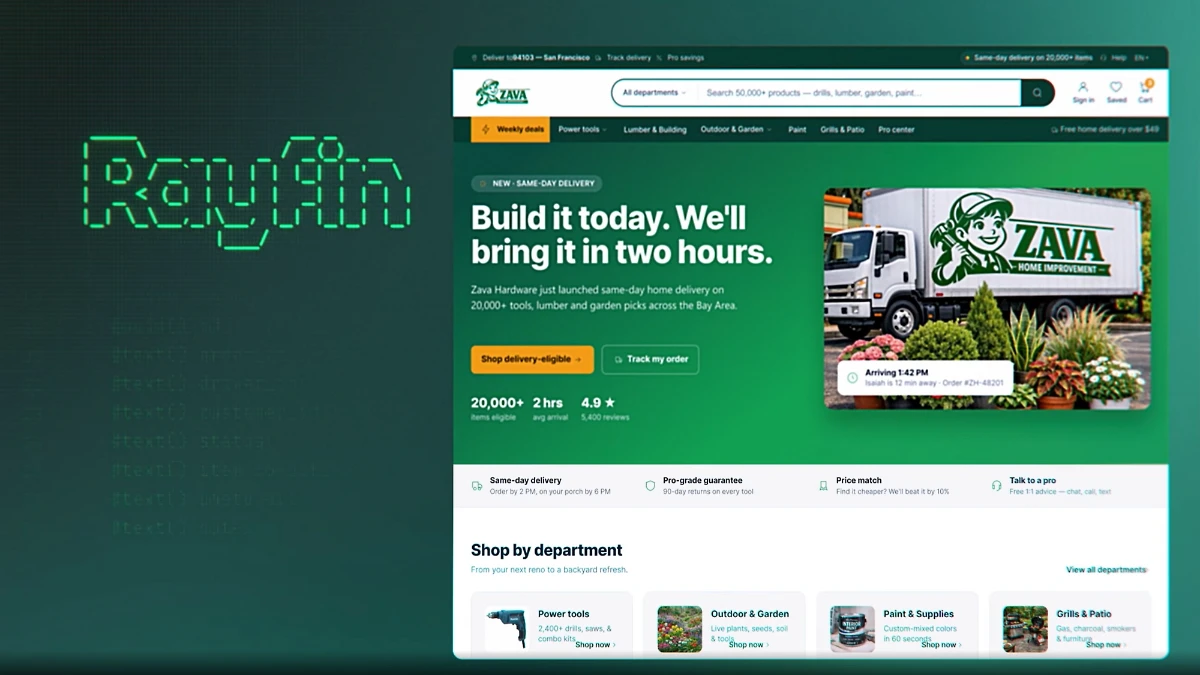 Rayfin deployed application running as a managed service inside a Microsoft Fabric workspace — Source: Microsoft
Once deployed, the application runs as a first-class Fabric artifact — visible in the Fabric portal, connected to OneLake, and governed by the same security and compliance controls already enforced across the tenant. Application data lands in OneLake automatically. No copy. No ETL pipeline. No synchronization delay.
Fabric Apps helps you build data-driven applications on Microsoft Fabric by combining data models, generated APIs, authentication, and hosting in one development workflow. You define your data models in TypeScript, and Fabric Apps uses them to generate the backend pieces your app needs.
The Replit partnership is the commercial headline: Replit is the exclusive launch partner. Developers build in Replit’s AI coding environment, deploy with Rayfin, and the entire application — code, data, and services — stays managed inside the organisation’s own Fabric tenant.
Rayfin unlocks a new development model for our users. Agents write the code. Fabric ships it quickly and safely. Together, we’re giving developers something they’ve never had before: a path from idea to enterprise-grade production that’s measured in hours, not months.Amjad Masad — CEO, Replit
Fabric Apps Architecture
A Fabric App deployed to a workspace provisions three managed child services. These are not separate resources you configure — Fabric creates and manages them automatically based on your rayfin.yml configuration.
| Child Service | What It Provides | Portal Capabilities |
|---|---|---|
| SQL Database in Fabric | Managed SQL database. Schema is generated automatically from TypeScript data model decorators via rayfin up. | View database, run read queries, copy connection string. Schema changes must come from code — the portal database is read-only. |
| Authentication Service | Brokered authentication using Microsoft Entra ID SSO exclusively. Users sign in through their existing Fabric identity. | View authenticated users in the SQL database. No other auth providers are available after deployment. |
| Static Content Hosting | Built frontend assets (HTML, CSS, JS) served at a public URL backed by OneLake storage. Updated atomically on each deploy. | View hosting URL. Assets refresh on every rayfin up deployment. |
App Backend Endpoint Structure
Each Fabric App gets a single base endpoint. All services are exposed through path-based routing:
| Endpoint Path | Service Purpose |
|---|---|
| /api/graphql | Data API — used by RayfinClient for all read and write operations via GraphQL |
| /auth | Authentication service — Microsoft Entra ID SSO flows |
| /storage | File storage — backed by OneLake |
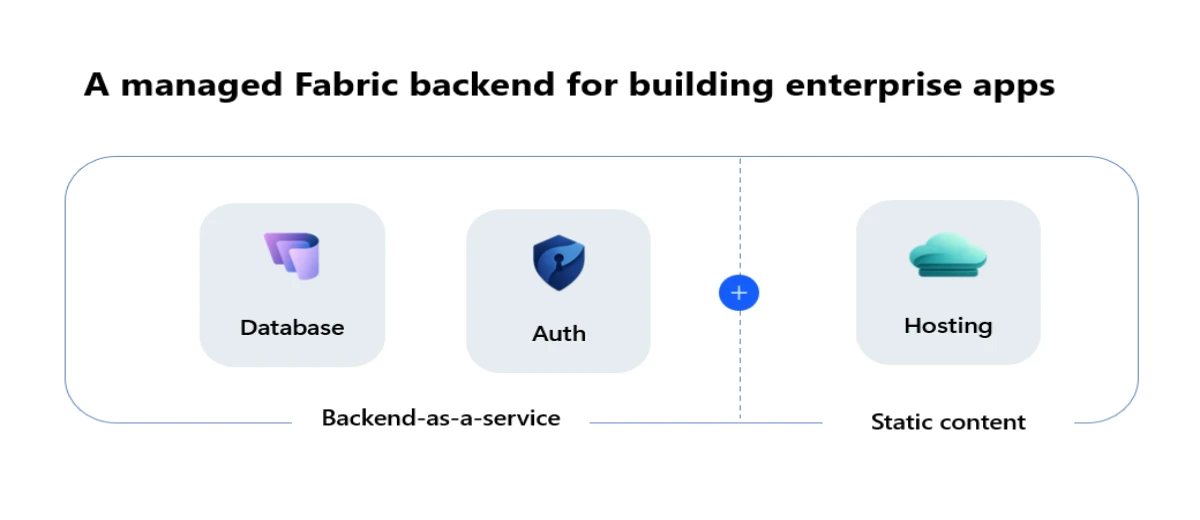 Fabric Apps architecture: Backend-as-a-service (Database + Auth) plus Static Content hosting — Source: Microsoft
https://-app.rayfin.windows.net/
TypeScript Data Models & GraphQL
This is where Rayfin’s developer experience stands apart. You define your data model once in TypeScript using decorators. Rayfin generates the SQL schema, the GraphQL API, and the type-safe client — all automatically. No separate ORM configuration. No hand-written schema migrations.
// From Microsoft Learn official documentation
import {
  entity, role, text, boolean, date, uuid
} from '@microsoft/rayfin-core';

@entity()
@role('authenticated', '*', {
  policy: (claims, item) => claims.sub.eq(item.user_id),
})
export class Todo {
  @uuid()   id!: string;
  @text()  title!: string;
  @boolean() completed!: boolean;
  @date()  createdAt!: Date;
  @uuid()  user_id!: string;
}
From this TypeScript class, Rayfin automatically generates: a SQL table with the correct column types, a GraphQL endpoint with full CRUD operations, a row-level security policy based on the @role decorator, and a type-safe client SDK with autocomplete.
import { RayfinClient } from '@microsoft/rayfin-client';
import type { Todo } from '../rayfin/data/Todo';

const client = new RayfinClient<{ Todo: Todo }>({
  baseUrl: import.meta.env.VITE_RAYFIN_API_URL,
  publishableKey: 'pk-your-project-key',
});

// Type-safe query — autocomplete on all fields
const todos = await client.data.Todo
  .select(['id', 'title', 'completed', 'createdAt'])
  .execute();

// Find by primary key
const todo = await client.data.Todo
  .findByPk('00000000-0000-0000-0000-000000000000');
- SQL database schema from TypeScript class decorators
- GraphQL API endpoint at
/api/graphqlwith full CRUD - Row-level security policies from
@roledecorators - Type-safe client SDK with TypeScript autocomplete
- Client-side query validation before requests reach the backend
The decorator-driven schema approach is genuinely clever. The @role decorator with a policy lambda compiles down to row-level security on the SQL database — your access control logic lives in the same file as your data model. For teams used to managing RLS separately in the database layer, this is a meaningful shift. The risk is that schema changes in the SQL database directly break the app — always migrate through rayfin up db apply, never touch the portal database directly.
CLI Reference & Deployment Workflow
The Rayfin CLI handles the complete development lifecycle from scaffolding to production deployment. Install it once and the three core commands cover the majority of your workflow.
npm i @microsoft/rayfin-cli
- Scaffold a new project Creates a new project from a template — includes a React frontend, TypeScript data models, and rayfin.yml configuration. Choose from Blank App, To-Do App, or Data App templates.
- Run locally with Docker The full stack runs locally — frontend dev server, local database, and auth emulation. Rapid iteration before committing to a Fabric deployment.
- Deploy to Microsoft Fabric One command compiles frontend assets, evaluates schema changes, and provisions or updates all managed child services in the Fabric workspace.
# 1. Create a new project from template npm create @microsoft/rayfin@latest my-app \ --workspace# 2. Run frontend dev server locally cd my-app npm run dev # 3. Deploy full application to Microsoft Fabric npx rayfin up # Apply TypeScript schema changes to Fabric SQL database npx rayfin up db apply # For existing projects (add Rayfin to existing codebase) npx rayfin init my-app \ --services db,storage \ --auth-methods fabric \ --static-hosting # Check deployment status npx rayfin status
The SQL Database in Fabric is read-only in the portal. All schema changes must originate from TypeScript data model decorators deployed via rayfin up db apply. Making schema changes directly in the SQL database creates conflicts that break the app. If you hit this, the only clean resolution is reverting the manual change and re-running the CLI deployment.
Rayfin vs Supabase, Neon, Power Apps & Azure App Service
Advertisements
Microsoft explicitly positions Rayfin against Supabase and Neon — the Postgres-compatible backends that AI coding tools default to. Understanding the real trade-offs matters before committing your architecture.
Rayfin vs Supabase & Neon
| Factor | Rayfin on Fabric | Supabase / Neon |
|---|---|---|
| Data governance | Native — inherits Fabric tenant controls | Manual — isolated database outside data estate |
| Analytics integration | Zero-ETL — lands in OneLake automatically | Requires ETL — separate pipeline to analytics |
| AI/agent context sharing | Unified — shared Fabric IQ context layer | Siloed — each app creates isolated data |
| Cloud portability | Azure only — requires Fabric F-SKU | Multi-cloud — Postgres is portable |
| Maturity | Preview — Build 2026 announcement | GA — production-ready |
Rayfin vs Power Apps
| Factor | Fabric Apps (Rayfin) | Power Apps |
|---|---|---|
| Target audience | Software engineers, professional developers | Citizen developers, business analysts |
| Development model | Code-first: TypeScript, React, CLI | Low-code: drag-and-drop, Power Fx |
| Data layer | Fabric SQL + OneLake (auto-generated) | Dataverse or external connectors |
| Best for | Complex data-intensive enterprise apps | Simple internal forms and workflows |
The honest assessment: if your organisation is already deep in Microsoft Fabric, Rayfin removes weeks of backend setup and keeps every AI-built app inside your governance boundary by default. If you’re not on Fabric — or need global edge distribution, multi-cloud portability, or battle-tested production SLAs — Supabase or Azure App Service remain the better choices right now. Rayfin is not yet a general-purpose backend platform. It’s a governed Fabric-native backend platform. The distinction matters.
Real Enterprise Use Cases
We appreciate how quickly we can build and iterate in Replit, but for some of our business, our data needs to stay governed and centralized in Fabric. With Rayfin, we finally have both: fast development in the tools we prefer, and the confidence that our applications run on top of our enterprise data platform.Cody Luth — AI Solutions Architect, Leatherman
Supply Chain & Field Operations
Field workers log delivery or inspection status through a React frontend. Writes go directly to the Fabric SQL database via GraphQL mutations. That data is immediately queryable by Power BI semantic models and AI agents without any ETL delay — on-time delivery metrics update in real time rather than with a multi-hour lag from a nightly pipeline.
Agentic AI Apps with Shared Business Context
AI coding agents building Rayfin applications draw from the organisation’s existing Fabric IQ context layer — the unified business ontology covering data, semantics, and real-time signals. (We break down this workflow in our Agentic Data Engineering Tutorial). App data generated by those agents feeds back into the same context layer, enriching it for subsequent agents. This bidirectional flow is what prevents the data silo problem that affects every other agentic backend approach.
Custom Executive & Operational Dashboards
When standard Power BI layout constraints prevent exact KPI presentations, Fabric Data Apps allow developers to build pixel-perfect React dashboards that execute DAX queries directly against trusted semantic models. (See the new PBIR enhanced report format capabilities for more on this shift). Visualization as Code — storing DAX and React TSX files in Git — gives these dashboards the same version control and deployment rigour as the rest of the application.
Licensing, Pricing & Capacity Requirements
Rayfin does not have its own pricing tier. Fabric Apps consume Capacity Units (CUs) from your organisation’s existing F-SKU capacity. This means the cost is additive to whatever you’re already spending on Fabric compute.
F-SKU Required
Fabric Apps require an active Fabric capacity assigned to the workspace. Power BI Pro shared capacity and entry-tier workspaces are not supported. Minimum recommended: F4 for development, F32+ for production workloads.
Tenant Admin Enablement
A Fabric tenant administrator must enable the Fabric Apps workload in the Admin Portal under Tenant settings before any user can create Fabric App items. This is a one-time org-level setup.
CU Consumption
Every database transaction, authentication request, GraphQL query, and static asset delivery burns background CUs. Read our Fabric capacity optimization guide to ensure your unoptimised app queries don’t spike your billing tier.
No Per-User Licensing
Users with Run and interact permission can use a deployed Fabric App without needing a Power BI Pro licence — as long as the workspace is on F64 or larger capacity. Below F64, Pro licences are still required.
Frequently Asked Questions
npx rayfin up.npm create @microsoft/rayfin@latest my-app — scaffolds a new project from a template. (2) npx rayfin up — deploys the full application backend to Microsoft Fabric. (3) npx rayfin up db apply — applies TypeScript schema changes to the Fabric SQL database. Install the CLI with: npm i @microsoft/rayfin-cli.npx rayfin up command. Assets are served from OneLake storage at a public URL in the format https://your-app.rayfin.windows.net/.Rayfin and Microsoft Fabric Apps are in public preview as of June 2026. All CLI commands, TypeScript decorator syntax, API endpoints, and feature availability are subject to change before General Availability. Information in this article is sourced from Microsoft Learn — Fabric Apps overview and the Build 2026 Azure blog post. Always verify current documentation at learn.microsoft.com before implementing. UIG Data Lab is an independent publication and is not affiliated with or endorsed by Microsoft Corporation.




