Microsoft Fabric Overview: The Ultimate Guide
A comprehensive, deep-dive technical guide to the architecture, OneLake foundation, capacity pricing, and unified workloads of Microsoft’s SaaS analytics platform.
What is Microsoft Fabric?
Microsoft Fabric is an enterprise-grade, SaaS-based analytics platform that unifies data engineering, data warehousing, real-time intelligence, and Power BI into a single tenant. Unlike disparate PaaS services, a Microsoft Fabric Overview demonstrates a cohesive architecture where compute engines (Spark, Polaris, VertiPaq) are decoupled from storage. All data persists in OneLake using open-standard Delta Parquet files, enabling the revolutionary “Direct Lake” mode which allows Power BI to query massive datasets with zero data movement or import latency.
1. The Paradigm Shift: Why Microsoft Fabric?
For the last decade, data teams have operated in a fragmented world. They built “modern data stacks” by stitching together disparate PaaS (Platform as a Service) components: Azure Data Factory for orchestration, Databricks for engineering, Synapse for warehousing, and Power BI for reporting. While powerful, this approach created brittle integration points, duplicated data (and costs), and fragmented security models.
A thorough Microsoft Fabric Overview highlights the fundamental shift to a SaaS (Software as a Service) model. In Fabric, you do not provision servers or clusters in the traditional sense. You provision a “Capacity” (a pool of compute power) that is shared across all workloads. This simplifies procurement and management significantly.
The “OneCopy” Principle
The most significant efficiency gain in Fabric is the elimination of data movement. In a legacy stack, data moves from Bronze -> Silver -> Gold -> Data Warehouse -> Power BI Import Model. That is at least 4 copies of the same data, each incurring storage costs and synchronization latency.
In Fabric, data lands in OneLake. The Data Engineer cleans it using Spark. The SQL Analyst queries *that same file* using T-SQL. The Power BI report reads *that same file* using Direct Lake. Zero movement. Zero duplication. To understand the depth of this change, read our comparison: Fabric vs. Azure Synapse: Full Comparison.
2. OneLake Architecture & Shortcuts
OneLake is the unified storage foundation of Fabric. It is often described as “OneDrive for Data.” Technically, it is a single, logical SaaS data lake built on ADLS Gen2, inheriting its security and massive scalability, but abstracting away the account management. Every Fabric tenant has exactly one OneLake, hierarchically organized by Tenant > Domain > Workspace > Item.
The Magic of Shortcuts
OneLake introduces “Shortcuts,” a virtualization technology that allows you to link data from external sources (AWS S3, Google Cloud Storage, or other ADLS accounts) directly into the Fabric namespace. To the compute engines, these files look local. This allows you to perform cross-cloud analytics without egress fees or ETL jobs.
Open Standards: Delta Parquet
Fabric does not use proprietary file formats. It standardizes strictly on Delta Lake (Parquet files with a transaction log). This ensures your data is not locked in; it can be read by any Delta-compatible engine (like Databricks or Snowflake). Furthermore, Fabric introduces V-Order, a write-time optimization that sorts data within Parquet files to enable lightning-fast reads by the compute engines. For a technical comparison of why Microsoft chose Delta over Iceberg, read Apache Iceberg vs. Delta Lake.
3. Deep Dive: The Compute Architecture
In this Microsoft Fabric Overview, it is crucial to understand that compute is serverless and ephemeral. Engines spin up instantly to process data in OneLake and spin down when finished.
Data Engineering (Spark & Notebooks)
Fabric’s Spark runtime enables rapid start-up times (often single-digit seconds), a massive improvement over legacy Synapse Spark pools. It is the primary tool for heavy lifting, machine learning, and unstructured data processing. Data Engineers can write Python, Scala, or R in notebooks to build sophisticated Medallion architectures.
However, managing Spark performance requires skill. Issues like “Small File Problem” or inefficient shuffles can drive up CU usage. We recommend mastering optimization techniques in our Spark Shuffle & Partitions Optimization Guide.
Data Warehousing (Polaris Engine)
For SQL workloads, Fabric uses the “Polaris” engine. It is a distributed, serverless SQL engine that fully separates compute from storage. It supports T-SQL, full ACID transactions, and multi-table writes. Unlike Synapse Dedicated Pools, there are no distribution keys to manage; the engine handles sharding automatically.
Deciding between the Lakehouse (Spark) and the Warehouse (SQL) is a common architectural decision point. Review our guide on Lakehouse vs. Data Warehouse: Best Practices to choose the right path.
Data Factory (Pipelines & Dataflows)
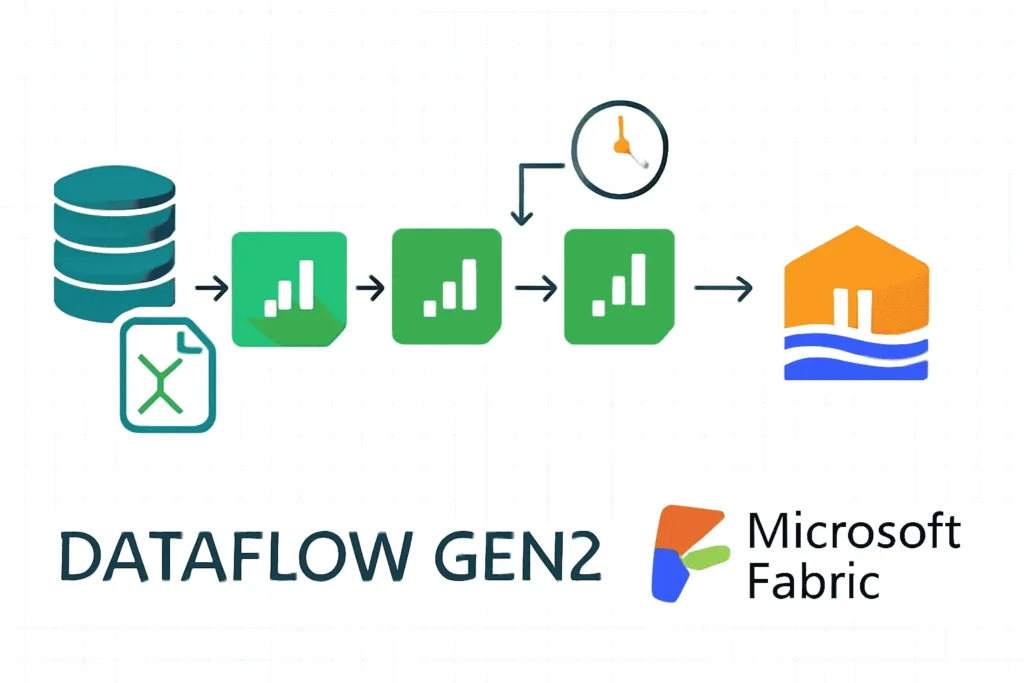
Fabric includes a modernized version of Azure Data Factory. Data Pipelines handle orchestration (Copy Activity, Notebook execution), while Dataflow Gen2 provides a low-code interface for data transformation. Dataflow Gen2 is unique because it now writes data to a staging Lakehouse first, ensuring high-scale performance even for visual transformations.
4. The Direct Lake Revolution
Direct Lake mode is arguably the most disruptive feature in Fabric. Historically, Power BI architects had to choose between “Import Mode” (Fast performance, but limited data size and data latency) and “DirectQuery” (Real-time data, but slow query performance).
Direct Lake bridges this gap. It allows the Power BI engine (VertiPaq) to load Delta Parquet files from OneLake directly into memory, column-by-column, on demand. This provides Import-like performance on massive datasets (billions of rows) without the need to refresh a dataset.
Additionally, for those migrating from Premium, read our Power BI Premium to Fabric Migration Guide.
5. AI Integration: Copilot & RAG
Microsoft Fabric is “AI Native.” Because all corporate data resides in OneLake, it is instantly accessible to Azure OpenAI services without complex ETL pipelines. This enables Retrieval Augmented Generation (RAG) patterns, allowing you to build internal chatbots that “talk” to your data securely using libraries like LangChain or Semantic Kernel.
We have built a comprehensive tutorial on this subject: Building Trustworthy AI with Fabric RAG.
Copilot for Power BI
Fabric also integrates Copilot directly into the Power BI authoring experience. Users can generate report pages, write DAX measures, and create summaries using natural language. However, your data model must be clean and well-labeled for Copilot to work effectively. Follow our guide on Getting Power BI AI-Ready.
If you encounter “Something went wrong” errors with Copilot, check our troubleshooting resource: Copilot Troubleshooting Guide.
6. Capacity, Licensing & Economics
Fabric simplifies licensing into a single “Capacity Unit” (CU) model. You purchase a Fabric Capacity (e.g., F64), which provides a pool of compute resources shared by all workloads (Data Factory, Synapse, Power BI). This allows for dynamic scaling; when your ETL jobs finish in the morning, that same capacity is available for Power BI reporting during the day.
Smoothing & Bursting
Fabric introduces a concept called “Bursting.” It allows you to consume more compute than you paid for during peak times (e.g., a heavy query), provided you have idle time later to pay it back. This usage is “smoothed” over a 24-hour period. This prevents you from having to over-provision capacity for short spikes.
However, if you consistently exceed your capacity, interactive operations (like loading a report) will be throttled. Managing this requires a robust strategy. Read our Production Stability Review and our Capacity Optimization Guide to ensure uptime.
To estimate costs for your specific scenario, use the Fabric Pricing Calculator.
7. Governance, Security & Domains
With unification comes the need for strict governance. Fabric integrates natively with Microsoft Purview to provide end-to-end lineage, sensitivity labeling, and data cataloging.
Domains
Fabric introduces “Domains” (e.g., Sales, Finance, HR) to federate governance. This allows business units to manage their own data products while IT maintains oversight. Data can be promoted or certified to indicate trustworthiness to downstream consumers.
Security Layers
Security is managed at multiple levels:
- Workspace Roles: (Admin, Member, Contributor, Viewer) control access to artifacts.
- Item Permissions: Granular control over specific Lakehouses or Reports.
- OneLake Security: Folder-level security within the data lake.
- SQL Security: Row-Level Security (RLS) and Column-Level Security (CLS) defined in the Warehouse/Endpoint.
For a complete breakdown, see our Microsoft Fabric Data Governance Tutorial. Additionally, review general cloud hardening in our Cloud Security Tips.
8. Migrating from Synapse to Fabric
For customers currently on Azure Synapse Analytics, Fabric represents the next generation. While Synapse is still supported, Fabric offers faster innovation, better CI/CD via Git integration, and superior cost-performance ratios.
Migration strategies vary:
- Serverless SQL Pools: Can often be replaced by the Lakehouse SQL Endpoint.
- Dedicated SQL Pools: Require migration to Fabric Warehouse. While T-SQL is compatible, the underlying architecture (Distribution vs. Sharding) is different.
- Spark Pools: Migrate code to Fabric Notebooks/Jobs.
For a detailed technical comparison to help you build your business case, read our Fabric vs. Synapse Full Comparison.
Technical References & Official Documentation
Essential Reads for a Complete Microsoft Fabric Overview
While this guide provides a strategic, architectural Microsoft Fabric Overview, deeply technical implementations often require consulting the specific API references and open-source standards that underpin the platform.
Frequently Asked Questions – Microsoft Fabric Overview
Common questions about architecture, licensing, and migration.