Microsoft Fabric Architecture Interview Questions
30 architect-level questions across OneLake, Shortcuts, Mirroring, Governance, and Migration. Verified against FabCon 2026 announcements and current Microsoft Learn documentation. Updated June 2026.
Architect interviews test your ability to articulate why you choose a solution, not just what it is. The highest-signal questions are the decision frameworks: Shortcut vs. Mirroring vs. Copy Activity, the Medallion Architecture workspace pattern, OneLake Security vs. Workspace roles, and how to handle egress fees in a multi-cloud layout. Be specific about 2026 changes — Mirroring now covers Oracle and SAP Datasphere GA, Shortcut Transformations reached GA at FabCon March 2026, and OneLake Security is near-GA with row- and column-level controls following the data across all workloads.
OneLake Mechanics & Foundation
The virtualization concepts that underpin the entire Fabric ecosystem. You must articulate these before anything else makes sense in an architect interview.
Q1
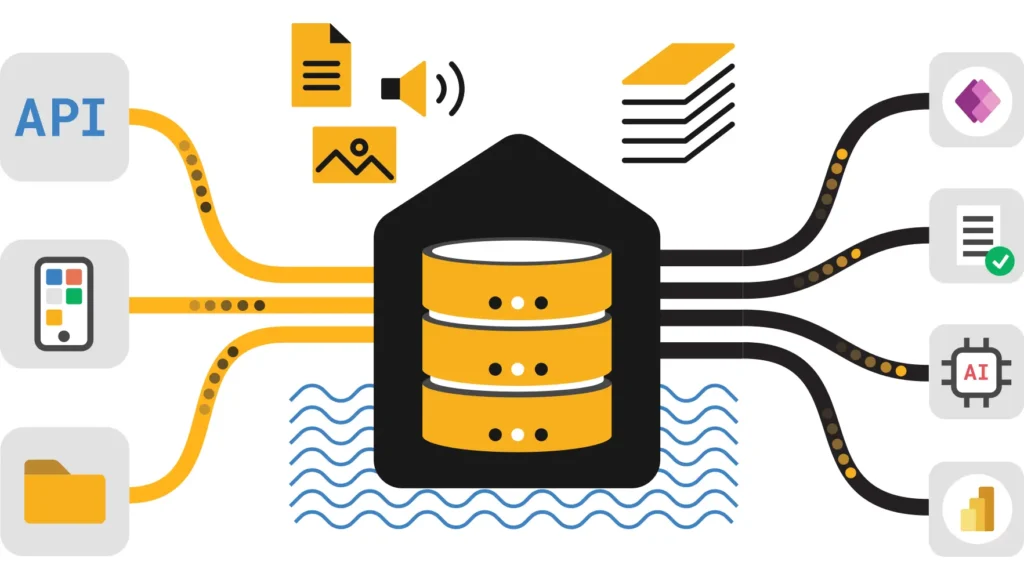
OneLake is a logical, SaaS-based data lake provisioned automatically with every Fabric tenant. Built on ADLS Gen2, it presents a single onelake:// namespace so Spark, T-SQL, KQL, and Power BI Direct Lake all read the same physical Delta Parquet files — no duplication, no separate storage account management.
Fabric abstracts physical ADLS Gen2 storage accounts behind logical “Items” (Lakehouses, Warehouses, KQL Databases). Users never manage Blob keys or container ACLs directly. This is the “One Copy” principle: a single file can be read by all compute engines simultaneously. OneLake also exposes an Iceberg REST Catalog endpoint, making the same data readable by Snowflake, Databricks, and Trino without rewriting it.
OneLake is to data what OneDrive is to files. Every Microsoft 365 tenant gets one OneDrive; every Fabric tenant gets one OneLake. The difference is that OneLake is multitenant-logically but physically backed by ADLS Gen2 in your home region.
Whether you understand the separation of storage from compute and can explain why this eliminates the data silos that plagued earlier Azure architectures (separate ADLS accounts per team, manual sync).
Q2
Four levels: Tenant (root namespace) → Domain (logical business unit grouping) → Workspace (security + billing boundary) → Item (Lakehouse, Warehouse, KQL Database). Draw this on a whiteboard every time.
- Tenant:
contoso.onelake.fabric.microsoft.com— the root, one per organization. - Domain: Logical grouping of workspaces for Data Mesh (e.g., “Finance Domain,” “HR Domain”). Enables federated governance with Domain Admins.
- Workspace: The primary security (RBAC) and billing (F-SKU Capacity) boundary. Treat it as a project container.
- Item: The functional artifact — Lakehouse, Warehouse, KQL Database, Eventstream, Semantic Model. Each item gets its own folder in the OneLake hierarchy.
Can you explain where security enforcement actually happens? Answer: at the Workspace level (broad RBAC) and, since 2026, at the Item level via OneLake Data Access Roles (fine-grained, row/column).
Q3
Managed (Tables folder): Spark owns both metadata and physical files. DROP TABLE deletes the Parquet files. Unmanaged (Files folder / external location): Spark owns only metadata. DROP TABLE removes the schema entry but the physical files survive.
The practical implication for Medallion Architecture: land raw ingestion in the Files folder as unmanaged so that a pipeline failure or a dropped table doesn’t destroy raw data. Promote to managed tables in the Silver and Gold layers where ACID transactions, Time Travel, and OPTIMIZE matter more than accidental-delete protection.
Data lifecycle governance — whether you know the difference between schema ownership and data ownership and how that maps to Bronze/Silver/Gold layer decisions.
Q4
Two patterns: Single Lakehouse (folder/schema prefixes) for small-scale simplicity, or separate Workspaces per layer for enterprise security isolation and independent capacity scaling.
Single Lakehouse: Use schema names like bronze_sales, silver_sales, gold_sales within one item. Simple but creates “noisy neighbor” issues — a heavy Bronze ingestion job competes for the same F-SKU capacity as Gold queries that feed production dashboards.
Multi-Workspace: Bronze, Silver, and Gold each live in a separate Workspace. Benefits: independent RBAC (only Data Engineers can touch Bronze), separate capacity assignments (F8 for Bronze ingestion, F64 for Gold serving), and cleanly separated Git repos per layer. Cross-workspace access uses Shortcuts — the Gold workspace shortcuts to the Silver Lakehouse rather than copying data.
Cost and security tradeoff reasoning. A strong answer names the noisy-neighbor problem and explains how multi-workspace resolves it while adding governance boundaries — then acknowledges the operational complexity cost.
Q5
Yes — but the first read always incurs egress. After that, OneLake caches files under 1 GB in a workspace-level store with a 1–28 day retention window (configurable). Subsequent reads within the window hit the cache, not the source cloud.
When you create a Shortcut to AWS S3 or GCS, Fabric reads files on-demand (read-through). The first access triggers egress billing from AWS or Google. The cache then stores those file segments in OneLake’s Azure backend. Subsequent queries within the cache retention period are served locally — no repeat egress charge.
Caching applies to S3, GCS, S3-compatible, and on-premises gateway shortcuts. ADLS Gen2 shortcuts don’t need caching because they’re already in Azure. The cache is automatically invalidated when the source file changes, so you don’t read stale data silently.
Caching only helps for repeat reads of the same files. If your workload scans different files on every run (e.g., daily partitions of a large table), the cache provides minimal benefit and egress charges accrue on every scan. In that scenario, a one-time “Copy Job” to OneLake is cheaper at scale.
Whether you can give a nuanced answer rather than “yes, shortcuts avoid egress.” Strong candidates name the 1 GB file size limit, the retention window, and the workload pattern where caching breaks down.
Q6
V-Order is a write-time sorting and compression optimization on Parquet files that accelerates Power BI Direct Lake reads (VertiPaq engine). It adds approximately 15% write overhead but delivers 2×–3× read speedups for BI workloads.
| Layer | V-Order Setting | Reason |
|---|---|---|
| Bronze / Staging | Disable | Write-heavy ingestion — the 15% overhead is wasted cost on data that may be re-transformed before reporting |
| Silver / Transform | Optional | Enable if intermediate tables are directly queried by analysts; disable if they feed further Gold transforms |
| Gold / Serving | Enable | Read-heavy, BI-facing layer where the Direct Lake speedup pays off on every refresh |
Whether you know V-Order is not a global toggle — applying it uniformly degrades write performance. The answer demonstrates awareness of layer-specific optimization strategies.
Shortcuts & Data Virtualization
Shortcuts enable zero-copy architecture. These questions test your ability to design multi-cloud data access without data movement — and explain the 2026 additions.
Q7
Shortcut for file-based sources already in Parquet/Delta. Mirroring for database sources (SQL, Snowflake, Cosmos) that need CDC replication. Copy Activity for legacy, slow, or on-premises sources that need format transformation.
| Dimension | Shortcut | Mirroring | Copy Activity |
|---|---|---|---|
| Data movement | Zero — pointer only | CDC replica, local copy | Physical bytes moved |
| Latency | Real-time (on-read) | Near-real-time (seconds) | Batch (scheduled) |
| Source format | Parquet, Delta, CSV in cloud storage | Operational DB (SQL, Snowflake, Cosmos, Oracle) | Any — SQL, REST, SAP, legacy |
| Writes back? | No | No (read-only replica) | Can write to destination |
| Best for | Cross-workspace/cloud sharing of existing data | Eliminating ETL from transactional systems | On-prem ingestion, format conversion |
Whether you can drive to a recommendation, not just list the options. Strong candidates say: “My first question is: is the source a file store or a database? That alone eliminates one of the three options immediately.”
Q8
Shortcut Transformations (GA, March 2026) let you shape data as it enters OneLake via a shortcut — converting formats, applying AI-powered transforms — without a separate pipeline step. The output inherits OneLake lineage, permissions, and Purview policies automatically.
Previously, a shortcut was a pure pointer: data arrived in whatever format the source used and you had to run a pipeline to clean or convert it. Shortcut Transformations embed a lightweight transformation layer into the shortcut itself. Current capabilities include Excel-to-Delta conversion (Preview), format normalization, and AI-powered transforms like summarization, translation, and document classification.
The architectural implication is significant: for common cases like Excel exports from finance systems, you no longer need a dedicated ingestion pipeline. The shortcut handles both access and transformation in one governed step.
This effectively embeds data engineering into the data access layer. For architects, it means evaluating whether a lightweight Shortcut Transformation can replace a pipeline step — reducing compute cost and moving governance closer to the source.
Awareness of the 2026 capability shift. Candidates who still describe shortcuts as pure pointers reveal they haven’t kept up with the platform.
Q9
No. Shortcuts support ADLS Gen2, AWS S3, GCS, and internal OneLake items. On-premises SQL requires physical ingestion first — via Data Pipeline or Dataflow Gen2 through the On-Premises Data Gateway — to land data in OneLake as Delta Parquet. Then you can shortcut to it from other workspaces.
The workaround pattern: ingest via pipeline to a Bronze Lakehouse → use shortcuts from Silver/Gold workspaces to that Bronze Lakehouse. This avoids re-ingesting the data multiple times while still keeping the convenience of shortcuts for downstream consumers.
Whether you know the supported shortcut source types precisely — and whether you can immediately pivot to a working workaround rather than stopping at “No.”
Q10
Every time Fabric queries an S3 or GCS shortcut and the file isn’t cached, data crosses clouds and AWS/Google bill for egress. Caching neutralizes repeat reads. For frequently changing data or large scans hitting new partitions daily, a one-time “Copy Job” to OneLake eliminates recurring egress permanently.
The decision point: compare the expected total egress cost over 12 months against the one-time Copy Job compute + ongoing OneLake storage cost. If a dataset is large and queried daily against new partitions, copying once is often cheaper within the first quarter. If a dataset is queried a few times a week against the same stable files, caching makes the shortcut the better option.
AWS charges approximately $0.09/GB for egress to internet (reduced for high volumes). Moving 100 TB from AWS to Azure in egress fees alone costs ~$9,000. A one-time Copy Job that eliminates that recurring charge typically pays for itself within 2–3 months for high-frequency workloads.
Whether you can quantify the cost tradeoff rather than giving a generic answer. An architect who can’t estimate cloud costs isn’t ready for the role.
Q11
The shortcut becomes a broken link. Fabric does not cascade-delete shortcut metadata automatically. Queries fail with “Path not found” until you manually remove or remap the shortcut.
Proactive architecture handles this: register shortcuts in a central catalog or variable library so that when a source changes, you have a governed list of dependent shortcuts to update. The OneLake Catalog’s Parent–Child item structure (updated January 2026) helps identify these dependencies from the governance layer.
Awareness of operational failure modes — not just happy-path architecture. Strong candidates mention monitoring and catalog dependency tracking as mitigation.
Q12
Shortcuts use delegated authorization — the consuming user must have read access to the target path, not just the workspace containing the shortcut. If User A created the shortcut, User B who lacks access to the underlying source gets a 403 even though they have Workspace Viewer rights.
Resolution: grant the consuming user (or their Entra ID group) at least “Storage Blob Data Reader” on the ADLS container, or at least “Viewer” on the source OneLake item, depending on shortcut type. For cross-workspace OneLake shortcuts, the source workspace admin must share the item, not just the workspace. See the Authorization Fix guide for step-by-step resolution.
Understanding of the permission model for shortcuts specifically — a common production issue that most candidates who only read documentation miss. The phrase “delegated authorization” demonstrates fluency here.
Mirroring & Replication
Mirroring is the CDC-based alternative to ETL pipelines. Updated heavily in 2026 — Oracle and SAP Datasphere reached GA at FabCon March 2026.
Q13
Mirroring uses CDC to read database transaction logs and replicate data into OneLake as Delta Parquet in near-real-time. As of FabCon March 2026: Oracle and SAP Datasphere are GA. SharePoint lists and Dremio are in Preview. Azure Monitor mirroring is coming. Databricks Unity Catalog native OneLake read is in public preview.
Unlike Shortcuts (which virtualize access), Mirroring creates a local Delta Parquet copy in OneLake, maintained automatically via CDC. The mirroring process includes automatic change data capture, schema evolution handling, and conflict resolution. Users never write ETL code to keep this in sync.
Full 2026 source support:
- GA: Azure SQL Database, SQL Server (via Azure SQL Managed Instance), Snowflake, Azure Cosmos DB, Oracle, SAP Datasphere, Azure Databricks
- Preview: SharePoint lists, Dremio
- Coming soon: Azure Monitor
Whether your knowledge is current. Knowing Oracle and SAP Datasphere reached GA at FabCon 2026 signals you track the platform actively — a strong signal for an architect role.
Q14
Mirroring if data is actively changing and you need it in OneLake as Delta Parquet without managing pipelines. Shortcut if Snowflake data is already in Parquet/Delta in object storage and you just need to point Fabric at it without replication.
File-based source (data already in cloud storage in an open format) → Shortcut. Database source (data locked in a proprietary engine’s native format) → Mirroring. For Snowflake specifically: if your Snowflake data is in Snowflake’s native format and you want it in Fabric without managing ETL, use Mirroring. Snowflake interoperability with OneLake is now GA (March 2026), adding a third option: Snowflake can natively read/write Fabric-managed Iceberg tables.
Whether you can name all three options now available for Snowflake integration — not just two. The interoperability GA is a nuance that separates practitioner-level knowledge from textbook knowledge.
Q15
Yes — the compute that reads CDC and writes Delta Parquet consumes Capacity Units. Mirrored storage in OneLake is included up to a limit based on purchased capacity. Extended capabilities (Change Data Feed, views on mirrored data) are a paid add-on as of FabCon 2026.
Base mirroring (replication only) is included in your F-SKU, with storage up to a capacity-based limit. Extended capabilities released at FabCon March 2026 — including Change Data Feed (CDF) for row-level change tracking and the ability to create views on top of mirrored data (starting with Snowflake) — are billed as a separate paid option.
Monitor consumption using the Capacity Metrics App to avoid throttling. A heavy mirroring workload competing with Spark jobs on the same F-SKU is a common production issue.
Whether you know the 2026 pricing split — basic mirroring included, extended capabilities paid. Mentioning CDF and views as the paid tier signals current knowledge.
Q16
No. Mirrored databases in Fabric are read-only replicas. All writes must happen in the source system (e.g., Snowflake, SQL DB, Oracle), and changes propagate into Fabric via the mirror.
This is by design — Fabric is the analytics consumer, not the system of record. Attempting to write back through a mirrored item will fail. For scenarios where bidirectional sync is needed, you must use the source system’s native write path and allow Mirroring to handle the inbound replication.
A common misconception trap. If you hesitate or qualify this, the interviewer knows you haven’t used Mirroring in production.
Q17
Mirroring includes automatic schema evolution handling — when you add a column to a source table, the mirrored Delta table in OneLake picks up the schema change automatically. However, complex proprietary types (e.g., Snowflake GEOGRAPHY, Oracle UDTs) may be cast to strings or excluded.
Validate type mapping during POC by comparing source schemas against the Delta table schema in OneLake. Use the SQL Analytics Endpoint to query the mirrored schema and confirm precision of numeric types, datetime handling, and any custom type conversions. Issues surface in POC, not in production — plan validation time accordingly.
Whether you know to validate data types during POC rather than discovering conversion issues in production. This is a sign of production experience.
Q18
Quick AnswerEventstreams are sub-second (IoT, telemetry, live events). Mirroring is near-real-time — seconds to minutes depending on log replication interval. Use Eventstreams for scenarios requiring immediate action on arriving data; use Mirroring to eliminate ETL from operational databases.
What the interviewer is testingWhether you can map the right tool to the latency requirement without conflating them. A good answer adds: “If a business rule must fire within 2 seconds of a transaction, Mirroring is too slow — that’s an Eventstreams use case.”
Eventstreams are sub-second (IoT, telemetry, live events). Mirroring is near-real-time — seconds to minutes depending on log replication interval. Use Eventstreams for scenarios requiring immediate action on arriving data; use Mirroring to eliminate ETL from operational databases.
Whether you can map the right tool to the latency requirement without conflating them. A good answer adds: “If a business rule must fire within 2 seconds of a transaction, Mirroring is too slow — that’s an Eventstreams use case.”
Governance & Domains
Enterprise governance, Data Mesh, security propagation, and the significantly upgraded OneLake Security model reaching GA in 2026.
Q19
A Domain groups multiple workspaces under a business unit boundary, enabling Data Mesh. It lets you delegate admin rights to Domain Admins (e.g., Finance lead) rather than centralizing all governance in IT, while still allowing Tenant Admins to audit across domains.
Without Domains, every workspace is flat under the tenant — IT must manage all workspace access, creating a bottleneck. With Domains, Finance creates and manages their own workspaces within the Finance Domain. The Tenant Admin sets domain-level policies (e.g., certification requirements) but day-to-day workspace management belongs to the Domain Admin.
Understanding of federated governance — the ability to distribute control while maintaining central oversight. Candidates who only describe Domains as “groupings” without explaining delegation miss the architectural significance.
Q20
Workspace roles (Admin/Member/Contributor/Viewer) grant broad access to all items in the workspace. The hidden risk: even a Viewer role grants read access to underlying data via the SQL Analytics Endpoint. Fine-grained restriction requires Item-Level Sharing or OneLake Data Access Roles.
A user with “Viewer” on a workspace can query all Lakehouse tables via the SQL endpoint — including sensitive columns. Without OneLake Data Access Roles or Item-Level Sharing, Workspace roles are an all-or-nothing access model within the workspace boundary.
Whether you know about this common over-permission pattern and can name the mitigations. Candidates who say “Viewer role is read-only and therefore safe” without this caveat reveal a gap.
Q21
OneLake Security introduces unified RBAC with row- and column-level controls that follow the data regardless of how it is consumed — Spark, T-SQL, Power BI Direct Lake, or Shortcuts all see the same security policy. Reaching GA in the weeks after FabCon March 2026.
Previously, Workspace RBAC was a broad boundary and row/column-level security had to be configured separately per engine (SQL security, Power BI RLS, Spark access control). OneLake Security unifies this into a single model applied at the OneLake layer — one role definition governs access across all compute engines reading the same data.
Since January 2026, OneLake Data Access Roles apply to all mirrored item types too, not just Lakehouse items. This means you can mirror a transactional database, apply fine-grained column-level restrictions in OneLake, and those restrictions enforce whether the data is accessed via SQL endpoint, Spark, or a shortcut.
Whether you understand the shift from engine-specific security to data-layer security. The phrase “security follows the data” is the architectural principle — if you can say that and explain why it matters, you’ve answered this well.
Q22
Sensitivity Labels applied in Purview travel with data. A “Highly Confidential” label on a Lakehouse propagates automatically to Power BI reports, exported Excel files, and any downstream artifact — no manual re-labeling required.
The key governance advantage over BigQuery or Snowflake: when data leaves Fabric into Office products (Excel, Teams, Outlook), the Purview label travels with it and enforces policy (e.g., encryption, watermarks, sharing restrictions). Most cloud data warehouses lose governance at the export boundary; Purview extends governance across the full Microsoft 365 estate.
Whether you can articulate the governance advantage of the Microsoft stack specifically — label persistence across the M365 estate. This matters for regulated industries (financial services, healthcare).
Q23
Create a dedicated HR Domain and HR Workspace. Assign the HR lead as Workspace Admin. Do not add IT admins to the workspace access list. Use OneLake Security for column-level restrictions on compensation columns. Tenant Admins retain audit visibility but not data access by default.
The layered approach: Domain boundary keeps IT out of workspace management. Workspace RBAC excludes IT from item access. OneLake Data Access Roles enforce column-level restrictions so that even if an IT admin accidentally gets workspace access, salary columns are masked or excluded by role definition.
Defense-in-depth thinking — using multiple security layers rather than relying on a single control. The candidate who names all three layers (Domain, Workspace, OneLake Security) demonstrates enterprise governance maturity.
Architect Scenarios in Microsoft Fabric Architecture Interview Questions.
Use the STAR method (Situation, Task, Action, Result) for all scenario answers. The interviewer wants to hear your reasoning, not just your conclusion.
Q24
Provision separate Fabric Capacities — F-SKU in West Europe for the Germany Workspace, F-SKU in East US for the US Reporting Workspace. Use Shortcuts from the US workspace pointing to the Germany data. Metadata travels; physical data stays in the EU capacity.
Architecture: The Germany Workspace (West Europe capacity) holds all data physically — GDPR compliance is maintained at the capacity/region level. The US Reporting Workspace (East US capacity) creates OneLake Shortcuts to the Germany workspace’s Gold Lakehouse items. Power BI reports in the US workspace use Direct Lake against those shortcuts.
The key legal point: Data residency in Fabric is governed by the capacity’s home region, not the workspace’s access location. Shortcuts don’t move data — the US workspace points to Germany-resident data. Confirm with your legal team whether cross-border metadata access (not data access) is permitted under your specific GDPR interpretation.
Whether you know that capacity region = data residency in Fabric, and that Shortcuts enable logical cross-region access without physical data movement. The legal caveat at the end signals real-world experience.
Q25
OneLake data is replicated via ZRS or GRS depending on configuration. Code artifacts (Notebooks, Pipelines, Semantic Models) must be in Git (Azure DevOps or GitHub) for independent recovery. Plan for RTO and RPO separately — data recovery is faster than artifact re-deployment.
Three-layer DR approach:
- Data (OneLake): Enable GRS for cross-region replication. OneLake BCDR provides automatic failover at the storage layer.
- Code artifacts: All Notebooks, Pipelines, and Semantic Models in Git via Fabric’s Git Integration. A secondary region workspace can be provisioned and synced from the same repo within minutes.
- Capacity: Pre-provision a smaller F-SKU in the secondary region. Scale up during a failover event rather than provisioning from scratch.
Whether you know that data and code have separate recovery paths. Candidates who only mention OneLake replication miss half the answer — if your notebooks are gone, the data can’t be processed.
Q26
First confirm which Direct Lake variant is in use: Direct Lake on SQL endpoints (can fall back to DirectQuery silently) or Direct Lake on OneLake (no fallback — fails explicitly if guardrails exceeded). The diagnostic differs between the two.
Direct Lake on SQL endpoints (older variant): Check if the semantic model is falling back to DirectQuery — open the Fabric Monitoring Hub and look for DirectQuery fallback signals. Common causes: column cardinality exceeding SKU guardrails, row-level security defined at the SQL layer, unmaterialized views. Fix: enable V-Order on the Gold Delta table, reduce high-cardinality column values, use OneLake Data Access Roles instead of SQL-layer RLS.
Direct Lake on OneLake (GA March 2026): No DirectQuery fallback exists. If guardrails are exceeded, the query fails outright. This makes the failure explicit and easier to diagnose — check the DirectLakeBehavior property and review the error for which guardrail was hit.
Awareness of the two Direct Lake variants that now exist and their different failure modes. Most candidates only know the original variant — the distinction to “Direct Lake on OneLake” is a 2026 differentiator.
Q27
Direct Lake mode distributes query load to the F-SKU Capacity rather than individual Power BI user limits. Use F64+ which removes per-viewer Pro licensing, enables Fabric Capacity to absorb the concurrent load, and configure Fabric’s 24-hour Smoothing to handle the 9 AM spike without throttling.
Key architecture points: (1) Direct Lake never imports data to Power BI — queries run against OneLake, so you don’t need to refresh at 9 AM. (2) V-Order on Gold tables means VertiPaq can read files efficiently for thousands of concurrent queries. (3) The F-SKU Smoothing feature averages usage over 24 hours — a 9 AM spike borrows from idle overnight capacity rather than throttling immediately.
Understanding of how F-SKU capacity absorbs concurrency differently from traditional Power BI Premium. The F64 licensing threshold for viewer access is a key cost decision that architects must know.
Q28
Four levers in order of impact: (1) Pause unused capacities, (2) Move cold data to ADLS Cool/Archive tier and shortcut to it, (3) Right-size F-SKU using Smoothing data, (4) Enable Autoscale Billing for bursty Spark workloads instead of over-provisioning capacity.
- Capacity pausing: Pay-as-you-go F-SKUs can be paused. Reserved capacities cannot — if you’re on reservation and under-utilizing, this is a re-sizing conversation with Microsoft, not a pause option.
- Cold data tiering: Move infrequently accessed historical data (older than 90 days) to ADLS Gen2 with Cool tier. Create a Shortcut in the Lakehouse pointing to the ADLS location. Historical queries still work; storage cost drops significantly.
- Smoothing analysis: Use the Capacity Metrics App to identify peak-to-trough variance. If usage is consistently 30–40% of capacity outside business hours, downsize the F-SKU.
- Spark Autoscale Billing: For unpredictable Spark workloads, enable Autoscale Billing so jobs run on dedicated serverless compute billed per use, rather than consuming base capacity that you’re paying for 24/7.
Whether you know all four levers and can prioritize them. Candidates who only suggest “downsize the SKU” miss the Autoscale Billing option, which is often the highest-impact lever for engineering-heavy workloads.
Migration Strategies
Migration questions test your ability to design phased transitions that minimize risk. FabCon 2026 introduced new migration assistants for ADF pipelines, Spark pools, and SQL databases.
Q29
Never “lift and shift.” Use a phased approach: Shortcut first (zero-risk validation), then compute migration, then storage migration. In 2026, Microsoft introduced migration assistants for Spark notebooks and pipelines — use them to assess compatibility before rewriting.
- Phase 1 — Shortcut: Leave data in ADLS managed by Databricks. Shortcut it into Fabric to test Power BI Direct Lake and validate the business value before touching any pipelines. Zero risk, immediate value signal.
- Phase 2 — Compute: Migrate simple notebooks to Fabric Spark using the Notebook Migration Assistant (FabCon 2026). Databricks Unity Catalog now natively reads OneLake (public preview, March 2026) — this enables coexistence during migration without dual ingestion.
- Phase 3 — Storage: Repoint ingestion pipelines to write to OneLake directly. The Delta format is shared, so Databricks and Fabric can read the same files during the transition window.
Databricks Unity Catalog can now natively read from OneLake (public preview). This means during migration Phase 2, your Databricks jobs can continue reading data from OneLake while Fabric Spark jobs run in parallel against the same files — no duplicate copies needed.
Whether you know the 2026 coexistence capability — Databricks reading from OneLake natively. This changes the migration risk profile significantly and is a strong differentiator in the answer.
Q30
Fabric Warehouse does not support all Synapse Dedicated Pool features: Identity Columns are limited, some distribution hints (HASH, ROUND_ROBIN) don’t apply, and some Synapse-specific DMVs are absent. Use the Fabric Migration Assistant to assess compatibility before starting DDL rewrites.
Common gaps to assess:
- Table distribution: Synapse uses HASH, ROUND_ROBIN, REPLICATE hints on CREATE TABLE. Fabric Warehouse handles distribution internally — these hints are dropped and may affect query plans differently.
- IDENTITY columns: Limited support compared to Synapse. Some sequences and auto-increment patterns need rework.
- PolyBase and external tables: Replace with OneLake Shortcuts — more capable and governance-aware.
- Statistics management: Synapse required manual statistics updates; Fabric Warehouse handles this automatically.
The FabCon 2026 Migration Assistant for SQL Databases assesses T-SQL compatibility and flags unsupported constructs before you begin rewriting. Run this assessment before committing to a migration timeline.
Whether you know to assess before migrate — and whether you can name specific gaps rather than giving a generic “it’s mostly compatible” answer. Naming distribution hints and IDENTITY columns specifically demonstrates hands-on Synapse experience.
Architecture is module one. Data Engineering, Data Warehouse, Real-Time Intelligence, and Power BI modules are next.
Data Engineering Questions →