Microsoft Fabric Governance Interview Questions (2026 Guide)
40 questions across the governance hierarchy, security layers, Purview compliance, capacity administration, lineage, and real-world scenarios. Verified June 2026 — includes OneLake Security GA, the Purview Hub retirement, and new DLP, Insider Risk Management, and DSPM for AI capabilities.
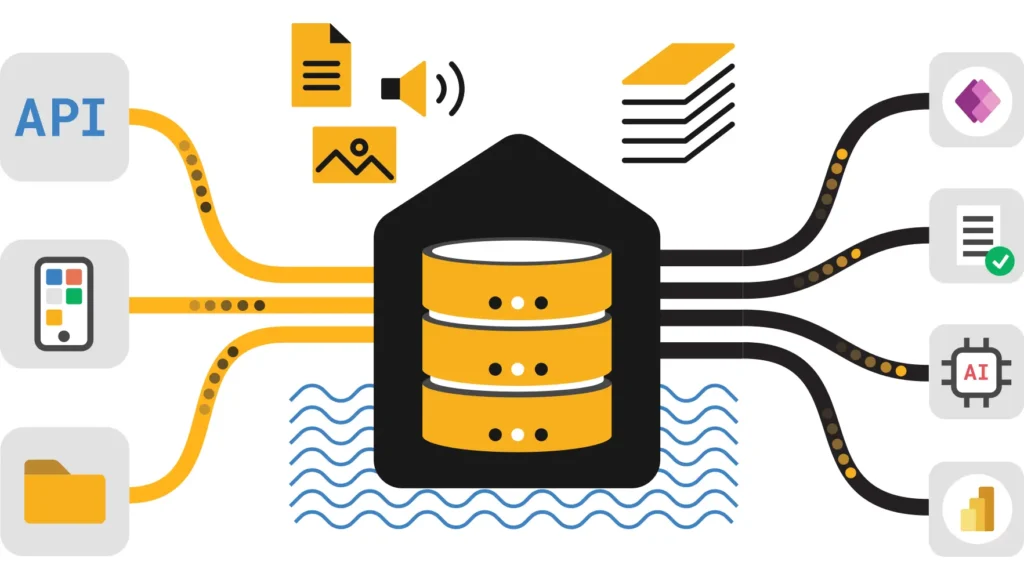
Row-level, column-level, folder-level, masking, predicate RLS. One model, follows the data across Spark, T-SQL, and Power BI — regardless of which layer above enforces access.
Senior governance interviews test whether you know the 2026 consolidation: OneLake Security reaching GA (unifying what used to be separate per-engine security configs), the Purview Hub’s retirement in favor of the OneLake catalog’s Govern tab, and three new Purview capabilities reaching GA — Data Loss Prevention, Insider Risk Management, and (arriving) Data Security Posture Management for AI. Candidates still describing “OneLake Data Access Roles” as the current state of the art are a full generation behind.
The Microsoft Fabric Governance Hierarchy
Tenant, Domain, Workspace, Item — the cascading structure every governance decision sits on top of, plus the new Database Hub for multi-database estates.
Q1
Tenant (top level, bound to Entra ID) → Domain (logical business-unit grouping) → Workspace (security and billing boundary) → Item (Lakehouse, Warehouse, Report, etc.). Every governance policy — tenant settings, capacity limits, sensitivity labels — cascades through this structure.
The hierarchy also determines where OneLake Security’s unified access rules attach: a role can be scoped at the Item level (a specific table’s folder) while still inheriting broader Workspace and Domain policies above it. Understanding which layer “wins” when settings conflict is a common follow-up.
Whether you can draw this hierarchy without hesitation and immediately connect it to where policy enforcement actually happens, not just recite the four names.
Q2
Domains enable federated governance (Data Mesh) — group workspaces by business unit (Finance, HR) and delegate Domain Admin rights to business owners instead of centralizing every workspace decision in IT. Departments manage their own workspace creation and policy while still adhering to tenant-wide baseline settings.
Without Domains, a 500-workspace tenant forces IT to be the bottleneck for every access request. With Domains, the Finance Domain Admin handles Finance workspace requests directly, and IT retains oversight only at the tenant policy level — a scale requirement for any organization beyond a few dozen workspaces.
Whether you can name the scale problem Domains solve (central IT bottleneck) rather than describing them as just an organizational nicety.
Q3
Tenant Settings apply globally (e.g., “Allow creating Fabric items”). Capacity Settings apply to specific compute infrastructure (e.g., an F64’s Spark configuration). Some tenant settings can be delegated for override at the Domain or Capacity level, enabling granular control over features like Copilot or export permissions per business unit.
Whether you know delegation is selective — not every tenant setting can be overridden downstream, and knowing which ones can is what separates surface knowledge from admin experience.
Q4
Avoid one workspace per user. Align workspaces with projects or lifecycle stages (Sales_Dev, Sales_Prod). Separate data workspaces (Lakehouses) from reporting workspaces (Power BI Apps) to enforce a “Golden Dataset” architecture with stricter security on the data layer than on the consumption layer.
Whether you can name the specific anti-pattern (per-user workspaces) that causes governance sprawl, and the specific mitigation (data/reporting separation).
Q5
Workspace Identity is a managed identity feature letting the workspace itself authenticate against trusted Azure services (ADLS Gen2, Key Vault) without depending on a specific user’s credentials. Pipelines keep running reliably even if the original creator’s account is disabled or leaves the organization.
Whether you connect Workspace Identity to the operational risk it mitigates — pipeline failure on employee offboarding — rather than describing it as a generic authentication feature.
Q6
No. “My Workspace” is a personal sandbox that cannot be assigned to a Fabric Capacity (except in Trial) and lacks collaborative and governance features. Enterprise Microsoft Fabric Governance strategy should explicitly prohibit production content in personal workspaces via tenant policy.
A confident, unqualified “no” — hedging on this question signals uncertainty about a governance fundamental.
Q7
Database Hub (announced FabCon 2026) is a unified surface for managing Azure SQL, Cosmos DB, PostgreSQL, and on-premises databases via Arc — all from within Fabric, with AI-assisted management surfacing what changed, why it matters, and recommended next steps. It extends governance visibility beyond Fabric-native items into the broader database estate.
This matters for organizations where data governance conversations previously stopped at the Fabric workspace boundary — databases outside Fabric were invisible to Fabric admins. Database Hub closes that gap for the specific database types it supports, giving a single governance surface for hybrid database + analytics estates.
Whether you know Database Hub exists as a 2026 addition and can explain the specific problem it solves — visibility into non-Fabric databases from the Fabric admin experience.
Security Layers in Microsoft Fabric Governance
RBAC, item-level sharing, the Viewer role trap, and the single biggest 2026 update — OneLake Security reaching general availability.
Q8
Admin (full control including deletion), Member (create/edit/share), Contributor (create/edit, no sharing), Viewer (read-only report access). The risk: Viewers may still query underlying data via SQL Endpoints if workspace settings allow it — “read-only” doesn’t always mean what it sounds like.
Whether you volunteer the Viewer SQL Endpoint risk unprompted — this is the detail that separates candidates who’ve configured production security from those reciting role definitions.
Q9
Workspace roles grant access to every item in the workspace. Item-level sharing grants access to a single report or Lakehouse without adding the user to the workspace at all — the correct choice when someone needs one specific artifact and nothing else, adhering to least-privilege.
Whether you default to item-level sharing for external or narrow-scope access requests rather than reflexively adding users as workspace Members.
Q10
If “Users can view artifacts” is enabled at the workspace level, Viewers can connect directly to a Lakehouse’s SQL Endpoint and query tables — well beyond viewing a report. Close this gap with SQL DENY commands or, as of 2026, OneLake Security roles that enforce access consistently regardless of entry point.
Whether your fix references OneLake Security as the current best-practice closure — SQL DENY alone is the 2023-era answer; OneLake Security is the 2026 answer.
Q11
OneLake Security reached GA at FabCon Atlanta 2026 — a unified RBAC model with row-level, column-level, and folder-level controls, including column masking and predicate row-level security, all enforced through a single model that follows the data across Spark, T-SQL, and Power BI. It supersedes the narrower, folder-only OneLake Data Access Roles.
| Capability | OneLake Data Access Roles (prior) | OneLake Security (GA 2026) |
|---|---|---|
| Granularity | Folder-level only | Row, column, and folder-level |
| Column masking | Not supported | Supported |
| Predicate RLS | Not supported | Supported |
| Cross-engine consistency | Honored by Spark and T-SQL | Follows data across Spark, T-SQL, and Power BI uniformly |
| Ownership model | Per-Lakehouse role definition | Distributed ownership by workspace, consistent lake-level control |
Whether you know this is a GA capability, not a preview feature, and can name the specific new capabilities (masking, predicate RLS) that didn’t exist in the folder-only predecessor. This is the single highest-signal question in the entire interview.
Q12
Warehouse RLS via T-SQL policies only protects SQL-routed queries — Spark reading the underlying Delta files directly has historically bypassed it. OneLake Security closes this gap by enforcing row and column rules at the OneLake layer itself, so the same restriction applies regardless of whether Spark, T-SQL, or Power BI reads the data.
Before OneLake Security: SQL-layer RLS = application-layer security, bypassable by any engine with direct OneLake permissions. After OneLake Security GA: security enforced at the storage layer itself = protected regardless of access path. This is the exact distinction to draw in an architect-level answer.
Whether you can precisely state that OneLake Security moves enforcement from the application layer to the storage layer — the architectural reason it closes the historic Spark bypass gap.
Q13
Shortcuts typically use delegated authorization — the reading user’s access is evaluated using the shortcut creator’s identity or a bound credential. For ADLS Gen2 shortcuts specifically, you can configure passthrough identity so the end-user’s own ACLs are checked at the source instead.
Whether you know passthrough identity as an explicit configuration option for ADLS Gen2 shortcuts, not the universal default across all shortcut types.
Q14
Define a OneLake Security role scoped to a table or folder, attach a column mask (e.g., partial redaction on a phone number column) and a predicate condition (e.g., row visible only where Region = user's assigned region). The role, once defined, enforces identically whether the table is queried via Spark, the SQL Endpoint, or Power BI Direct Lake.
The practical benefit over the old per-engine approach: previously, achieving equivalent protection meant configuring T-SQL Dynamic Data Masking separately, Spark-side filtering separately, and Power BI RLS separately — three configurations to keep in sync, with drift risk every time one was updated without the others. OneLake Security collapses this into one definition.
Whether you can name the specific operational pain (three-way config drift) that unified OneLake Security eliminates — this is the practitioner-level answer versus a textbook feature description.
Purview Integration in Microsoft Fabric Governance
Sensitivity labels, the Purview Hub retirement, and three major GA announcements from FabCon 2026 — Data Loss Prevention, Insider Risk Management, and DSPM for AI.
Q15
Fabric integrates with Microsoft Purview Information Protection (MIP). Apply labels (e.g., “Highly Confidential”) to items, and they travel with the data — export a labeled Lakehouse’s data to Excel and the resulting file is automatically encrypted and labeled to match.
Whether you can give the concrete downstream example (Excel export inheriting encryption) rather than an abstract “labels apply protection” answer.
Q16
Microsoft replaced parent labels with label groups, offering more flexible organization of label hierarchies. Tenants created after October 2025 use the new schema automatically; older tenants may still be on the legacy parent-label structure and should verify before assuming label group functionality is available.
Whether you know the specific cutover date (October 2025) and would check the tenant’s creation date before assuming new-schema behavior — a precision signal.
Q17
As of March 2026, sensitivity labels are accessible via public APIs. List Items and Get Item API responses now include the Sensitivity Label ID, and the Create Item API accepts a label ID so new items are created pre-labeled. This enables infrastructure-as-code governance pipelines and partner tooling to manage labeling at scale without manual per-item intervention.
Before this API surface existed, labeling at scale meant either manual application per item or brittle UI automation. Now a provisioning pipeline that creates a new Lakehouse can specify the required sensitivity label in the same API call — labeling becomes part of the deployment definition, not a follow-up manual step that’s easy to forget.
Whether you know this API surface exists and can immediately connect it to infrastructure-as-code governance patterns — a forward-looking answer that signals platform engineering maturity.
Q18
Security insights previously in the Microsoft Purview Hub have moved to the Govern tab of the OneLake catalog, consolidated into an enhanced Admin Report. The Purview Hub report was fully removed by the end of January 2026 — any documentation or muscle memory pointing to “Purview Hub” for Fabric governance reporting is now stale.
The Govern tab organizes insights into three areas: Manage your data estate (inventory, capacities, domains), Protect, secure & comply (sensitivity label coverage, DLP policy status), and recommended remediation actions with direct links to fix identified gaps — a more action-oriented experience than the old static Purview Hub reports.
Whether you know the exact new location (Govern tab, OneLake catalog) and the retirement timeline (Purview Hub removed end of January 2026) — candidates still directing people to “the Purview Hub” are giving deprecated guidance.
Q19
Nearly every interaction: viewing reports, running Spark jobs, executing SQL queries, exporting data, and modifying permissions. For OneLake specifically, data access events (reading a file) are also logged, giving a complete trail for compliance investigations, accessible via the Microsoft Purview audit log.
Whether you specifically mention OneLake data access events (file reads) as a logged category — a detail many candidates omit, focusing only on report/query-level auditing.
Q20
Purview DLP policies on structured data in OneLake reached GA (announced FabCon Vienna, September 2025), covering lakehouses, warehouses, and KQL/SQL databases. Policies detect uploads of sensitive data (credit card numbers, SSNs) into OneLake and can trigger policy tips for users or enforce access restrictions on classified assets.
| DLP Restrict Access scope | Status (June 2026) |
|---|---|
| Fabric Warehouse | GA (policy tip triggering GA as of FabCon Atlanta, March 2026) |
| KQL Database / SQL Database | Preview |
| Lakehouses / Semantic Models | Expected GA June 2026 |
Whether you know the specific rollout status per asset type — DLP restrict access is not uniformly GA across every Fabric item type as of this date, and knowing the gaps (KQL/SQL DB still Preview) shows real currency.
Q21
Purview Insider Risk Management (IRM) is GA for Fabric, extending built-in risk indicators to Power BI user activities — viewing, downloading, exporting, and managing sensitivity labels. These indicators feed directly into data theft and data leak policies, correlating signals across activities to surface potential insider threats like unauthorized data sharing.
This is a significant upgrade from manually watching for “ExportReport” events in raw audit logs (the pre-2025 approach). IRM correlates patterns automatically — a user who exports unusually large volumes, downloads from multiple Highly Confidential reports in a short window, and recently changed roles gets flagged as a composite risk signal rather than requiring an analyst to manually cross-reference separate log entries.
Whether you know IRM is now GA and can articulate the correlation advantage over manual audit log review — the difference between “logging exists” and “risk is actively surfaced.”
Q22
Data Security Posture Management (DSPM) for AI began public preview in December 2025, with GA expected around May 2026. It flags sensitive data appearing in AI agent prompts and responses — a governance layer specifically for AI interactions, distinct from traditional data-at-rest protections. It also ingests third-party signals from partners like Varonis, BigID, Cyera, and OneTrust for multi-cloud visibility.
As Fabric Data Agents and other agentic features (covered in the Data Engineering and Architecture modules of this series) become more prevalent, the risk surface shifts: sensitive data doesn’t just sit in a table anymore, it can flow through a natural-language prompt or an agent’s generated response. DSPM for AI is the governance answer to that shift — monitoring the AI interaction layer itself, not just the underlying storage.
Whether you connect DSPM for AI to the broader agentic AI trend across Fabric — showing you understand governance must evolve alongside new AI-native surfaces, not just extend existing data-at-rest controls.
Capacity Administration for Microsoft Fabric Governance
Smoothing, bursting, the Capacity Metrics App, and the 2025 change that removed F64 as the Copilot access gate.
Q23
F-SKUs are the unified compute units for all Fabric workloads — Spark, SQL, Power BI — ranging from F2 to F2048. Unlike P-SKUs, F-SKUs support pay-as-you-go billing via Azure and can be paused and resumed to control cost.
Whether you know the pause/resume capability as a specific F-SKU advantage over the P-SKU model, not just a naming difference.
Q24
Fabric doesn’t throttle immediately on a usage spike. Interactive usage (reports) smooths over 5 minutes; background usage (ETL) smooths over 24 hours. This lets you burst temporarily without penalty, as long as average usage stays within capacity limits over the smoothing window.
Whether you know the two different smoothing windows (5 minutes vs. 24 hours) precisely — conflating them is a common and telling mistake.
Q25
Bursting lets a job use more CUs than purchased, borrowing against future idle capacity. Smoothing averages that usage over time. Sustained bursting accumulates a CU “debt” — eventually Fabric applies Interactive Delay (throttling) until idle time repays the debt.
Whether you can explain bursting debt as a genuine constraint, not an unlimited free resource — a common misconception among candidates who’ve only read the marketing description of bursting.
Q26
The Capacity Metrics App shows CU consumption by item, workspace, and operation. A “noisy neighbor” — a poorly written Spark job or query consuming a disproportionate share of capacity — is identified by comparing per-item consumption against total capacity, then either optimizing or moving the offending workload.
Whether you offer both remediation paths (optimize in place vs. move to isolated capacity) rather than just one.
Q27
Pausing an F-SKU stops compute billing entirely, but data and reports become inaccessible. OneLake storage costs continue regardless of pause state. Ideal for Dev/Test capacities only needed during business hours.
Whether you clarify that storage costs persist through a pause — candidates who imply pausing eliminates all cost are giving an incomplete answer.
Q28
No. As of 2025, Fabric Copilot and AI capabilities became accessible to all paid SKUs, not just F64 and above. Tenant admins must still explicitly enable the relevant AI settings, but F64 is no longer the access gate it originally was.
Earlier Fabric guidance (including in some older interview prep material) states F64 as a Copilot prerequisite. That’s outdated as of 2025 — governance and capacity sizing conversations should no longer treat F64 as mandatory purely for Copilot access. Smaller organizations on lower SKUs can now enable Copilot without an F64 upgrade.
Whether you catch and correct this specific outdated assumption — a candidate who states “F64 is required for Copilot” without qualification is repeating stale 2024 guidance.
Lineage & Discovery in Microsoft Fabric Governance
Impact analysis, the Scanner API, endorsement, and how the OneLake catalog’s Govern tab consolidated what used to be scattered across the Purview Hub and Admin Monitoring workspace.
Q29
Impact Analysis shows every downstream item affected by a proposed change. In Lineage View, selecting a Lakehouse reveals all Semantic Models and Reports depending on it — run this before any schema change to avoid breaking production dashboards.
Whether you volunteer “before any schema change” as standard practice, not just describe the feature mechanically.
Q30
The Admin APIs (Scanner API) programmatically extract tenant-wide metadata — workspaces, items, users, access rights — used to build custom catalogs or audit compliance questions like “find all reports shared with external users.” The Scanner API remains the programmatic layer beneath the OneLake catalog’s UI-level Govern tab reporting.
Whether you distinguish the Scanner API (programmatic, custom tooling) from the Govern tab (UI-level, built-in reporting) as two complementary but distinct surfaces.
Q31
Promoted: any content owner can self-promote an item as “ready for use.” Certified: a restricted status controlled by governance settings, used by central IT to designate “Golden Data” that has passed formal quality checks. Certified items rank higher in the OneLake Data Hub / catalog.
Whether you know Certified requires restricted permission (not self-service like Promoted) — this distinction is often blurred by candidates.
Q32
Lineage typically breaks at the tenant boundary. With External Data Sharing (in-place sharing) from another Fabric tenant, the external data source appears in the lineage view, but detailed upstream lineage inside the other tenant is usually hidden for security reasons.
Whether you know lineage visibility is partial (source visible, upstream detail hidden) rather than either fully broken or fully transparent across tenants.
Q33
Sub-Domains (nested domains) mirror complex org structures — e.g., Finance → Tax — with Domain Admins assignable at each level. This improves discoverability in the OneLake catalog, letting users filter by “Finance” or drill into “Finance → Tax” specifically.
Whether you can give the concrete nesting example (Finance → Tax) rather than describing Sub-Domains only abstractly.
Q34
The Admin Monitoring workspace still exists and provides feature usage and adoption reports, but the security and compliance-specific insights that used to require cross-referencing the Purview Hub are now consolidated into the OneLake catalog’s Govern tab alongside it — reducing the number of places an admin needs to check for a complete governance picture.
Whether you know Admin Monitoring workspace and the Govern tab are complementary (not one replacing the other) — usage/adoption reporting stays in Admin Monitoring, security/compliance reporting moved to Govern.
Real-World Microsoft Fabric Governance interview questions
Network security, cross-tenant sharing, CMK, disaster recovery, and delegated administration — architectural decisions for regulated and enterprise-scale environments.
Q35
Private Endpoints secure access to the Fabric portal and OneLake from your Azure VNet, keeping traffic off the public internet but requiring careful DNS configuration and blocking public access entirely. Trusted Workspace Access instead lets Fabric Pipelines in specific workspaces reach firewall-protected Azure resources (like ADLS Gen2) using Workspace Identity as a trusted Microsoft service credential, without needing a VNet Gateway at all.
Whether you know Trusted Workspace Access as a lighter-weight alternative to Private Endpoints for pipeline-to-resource connectivity specifically, not a replacement for the broader network security model.
Q36
Fabric integrates with Entra ID Conditional Access, enforcing policies like mandatory MFA or geo-blocking for Fabric users. This adds identity-layer security on top of Fabric’s internal permission model — the two layers are complementary, not substitutes for each other.
Whether you frame Conditional Access as additive to Fabric’s own RBAC rather than redundant with it.
Q37
External Data Sharing (in-place sharing) lets you share a Lakehouse or KQL Database with a user in another tenant without copying data — they see it directly in their own OneLake. Separately, Mirroring interoperability expanded significantly in 2026: Oracle and SAP Datasphere mirroring reached GA, SharePoint lists and Dremio are in Preview, and Databricks Unity Catalog can now read OneLake data natively (Public Preview), with Snowflake interoperability GA.
Every new interoperability path (Databricks reading OneLake, Snowflake reading Fabric-managed Iceberg tables) is also a new potential data exfiltration or exposure path if not governed. As the interoperability surface grows, so does the surface area OneLake Security and Purview DLP need to cover — this is a natural follow-up an interviewer may probe.
Whether you can name the specific 2026 interoperability expansions and, ideally, proactively raise the governance implication of a growing cross-platform surface area.
Q38
CMK lets regulated organizations bring their own encryption key (stored in Key Vault) to encrypt OneLake data at rest. Revoking the key makes the data instantly unreadable to everyone — including Microsoft — providing a hard kill-switch for the most sensitive workloads.
Whether you emphasize “including Microsoft” as the key differentiator — CMK’s value proposition is specifically about removing the cloud provider from the trust boundary.
Q39
Microsoft manages OneLake storage replication (ZRS/GRS depending on region) and control-plane resiliency during a regional outage. Customers are responsible for their own recovery strategy for code artifacts (via Git) and data pipeline re-deployment — Fabric’s built-in BCDR does not cover application-level recovery.
Whether you draw a clean shared-responsibility line — a common failure mode is candidates assuming Fabric’s BCDR is comprehensive when it explicitly excludes code/pipeline recovery.
Q40
Delegate Capacity Admin rights to IT leads and Domain Admin rights to business unit leads, so routine tasks — workspace access requests, capacity monitoring — are handled locally rather than queuing through a single tenant admin. This mirrors the federated governance model Domains were designed to enable.
The throughline across this entire module set — OneLake Security replacing per-engine configs, the Govern tab consolidating scattered reporting, Domains delegating admin authority — is the same pattern: Fabric’s 2025-2026 governance investments consistently move toward fewer places to configure the same policy, enforced closer to the data itself. Framing your answers around that pattern, rather than listing features in isolation, is what a senior governance interview is actually listening for.
Whether you connect delegated admin rights back to the federated Domain model established in Module A — tying the interview’s first and last answers together with one consistent principle is a strong closing signal.
Architecture, Data Engineering, Power BI, Warehouse, Data Factory, and Governance — the full Microsoft Fabric interview prep set.
Back to Interview Hub →